VidBee vs. yt-dlp GUI

Compare the key features of VidBee and yt-dlp GUI.

Completely free. No registration or account required.

Quick verdict

VidBee fits users who want a free, open-source desktop downloader with local queues, bundled yt-dlp and FFmpeg, RSS automation, and the same workflow across Windows, macOS, and Linux. yt-dlp GUI remains worth considering when users who mainly want a visual wrapper around yt-dlp commands is the main requirement. This page compares the official product materials, visible workflow differences, and long-term maintenance tradeoffs so you can choose without relying on a feature table alone.

Which one should you choose?

Choose VidBee if you want

  • A free, MIT-licensed open-source desktop downloader.
  • One queue-based workflow across Windows, macOS, and Linux.
  • Bundled yt-dlp and FFmpeg so setup is predictable.
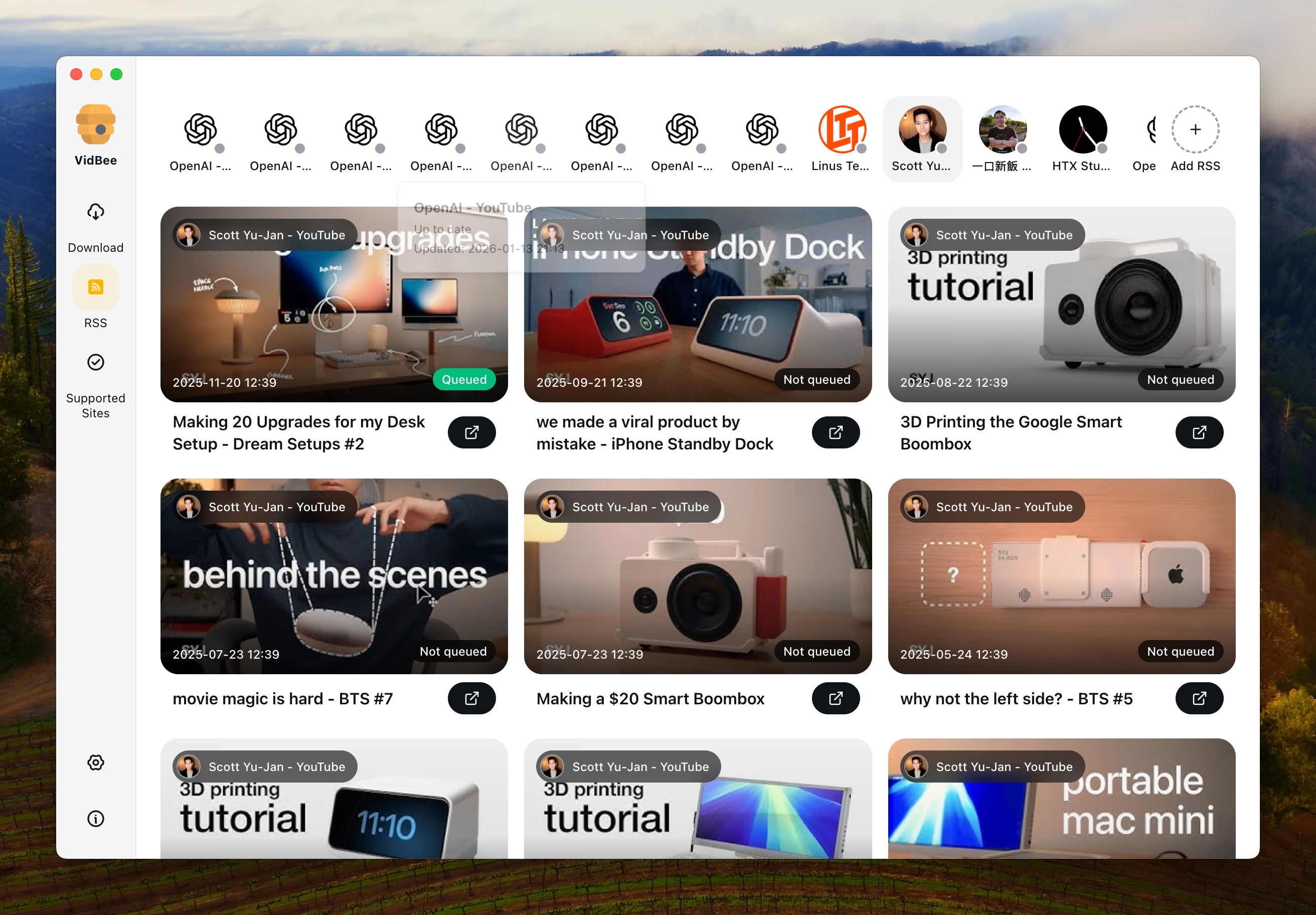
  • RSS subscriptions, repeat downloads, history, and retries for longer-running archives.
  • Local transcripts after a download, then Ask AI with the provider you choose.

Choose yt-dlp GUI if you want

  • users who mainly want a visual wrapper around yt-dlp commands
  • Its exact interface, packaging, or product-specific workflow.
  • A narrower tool when VidBee's RSS and queue features would be more than you need.
  • A workflow you have already standardized around and do not need to replace.

How to evaluate VidBee vs yt-dlp GUI

Setup and dependency work

VidBee

VidBee bundles yt-dlp and FFmpeg inside the desktop workflow, so the first test is usually about installer size, permissions, and whether common merge or audio tasks work without extra dependency setup.

yt-dlp GUI

yt-dlp GUI is positioned as a general desktop gui layer around yt-dlp for users avoiding the command line, so setup should be judged against that narrower product model rather than against VidBee's bundled-tool approach.

What to test

Install both tools from official sources, run one public video download, then run one higher-resolution or audio-only job that requires FFmpeg-style merging or conversion.

Queue depth and repeat work

VidBee

VidBee gives repeated downloads a visible queue, history, retry path, and RSS workflow, which matters when you archive channels, playlists, or batches over time.

yt-dlp GUI

yt-dlp GUI may be enough when users who mainly want a visual wrapper around yt-dlp commands is the main routine and you do not need persistent queue review.

What to test

Paste a playlist or a small batch of representative URLs, pause and resume the queue, retry a failed item, and confirm whether history makes repeat work easier.

Format, subtitle, and output control

VidBee

VidBee exposes common format, quality, subtitle, audio, and output-folder choices while still relying on yt-dlp style capabilities behind the desktop interface.

yt-dlp GUI

yt-dlp GUI handles output control as often flexible, but the quality of the desktop workflow varies a lot from project to project, which can be a simpler fit when you do not need advanced overrides.

What to test

Use the same source with a preferred quality, an audio-only export, and subtitles where available. Compare file names, sidecar files, embedded metadata, and output folders.

Platform and team standardization

VidBee

VidBee supports Windows, macOS, and Linux, so it is easier to document one downloader workflow for people who work across multiple desktops.

yt-dlp GUI

yt-dlp GUI platform support should be verified from the official source links because installer availability and package formats can change.

What to test

If you use more than one operating system, test the same URL, folder, and output settings on each desktop instead of judging only from one machine.

Ownership and source visibility

VidBee

VidBee is free and MIT-licensed, with source code, license text, and project activity visible through its official repository.

yt-dlp GUI

yt-dlp GUI uses a varies by project model and usually free desktop software pricing, so ownership expectations depend on that product's official terms.

What to test

Review the official license, release channel, update path, and whether you are comfortable relying on a closed, commercial, hosted, or differently licensed workflow.

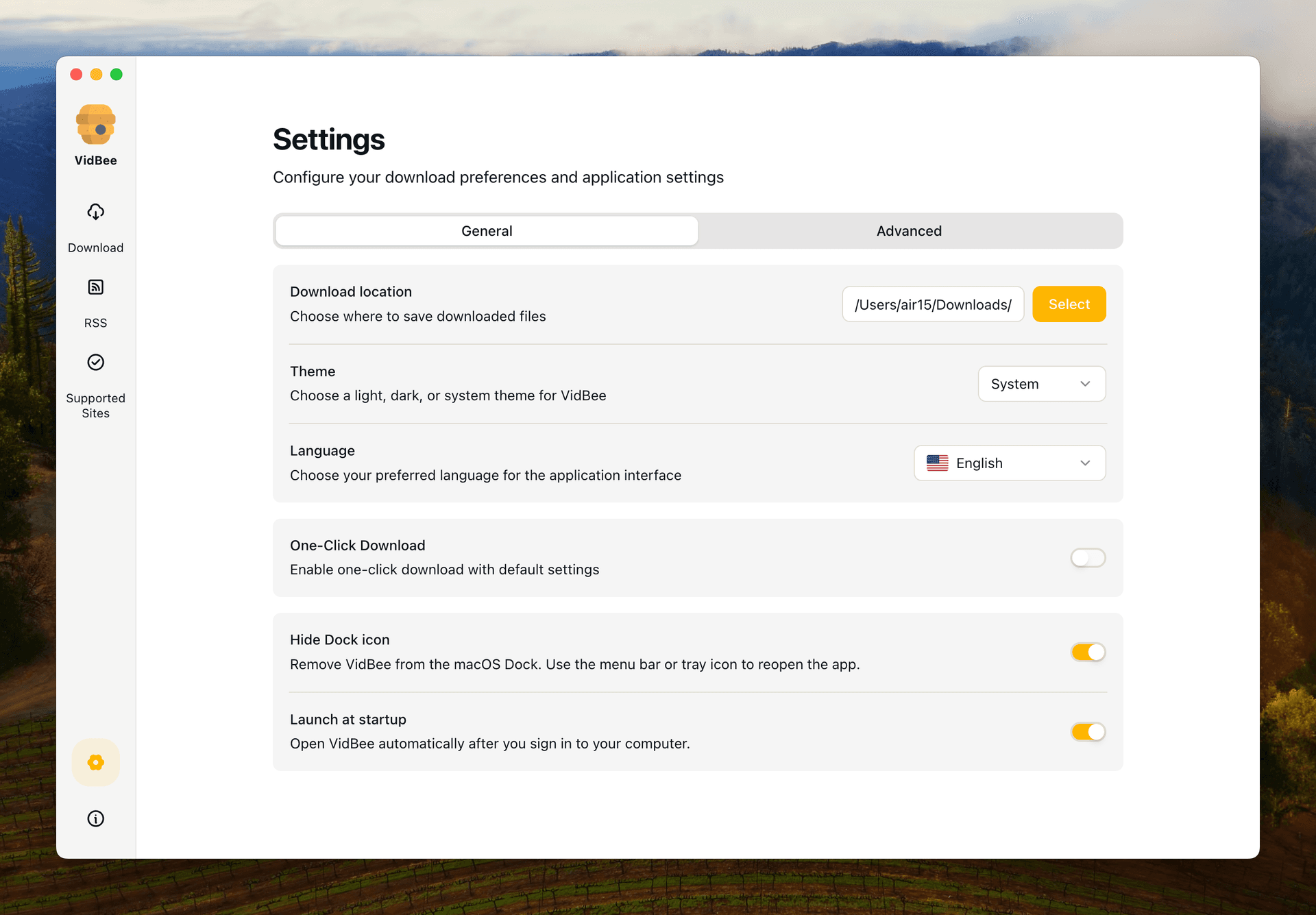
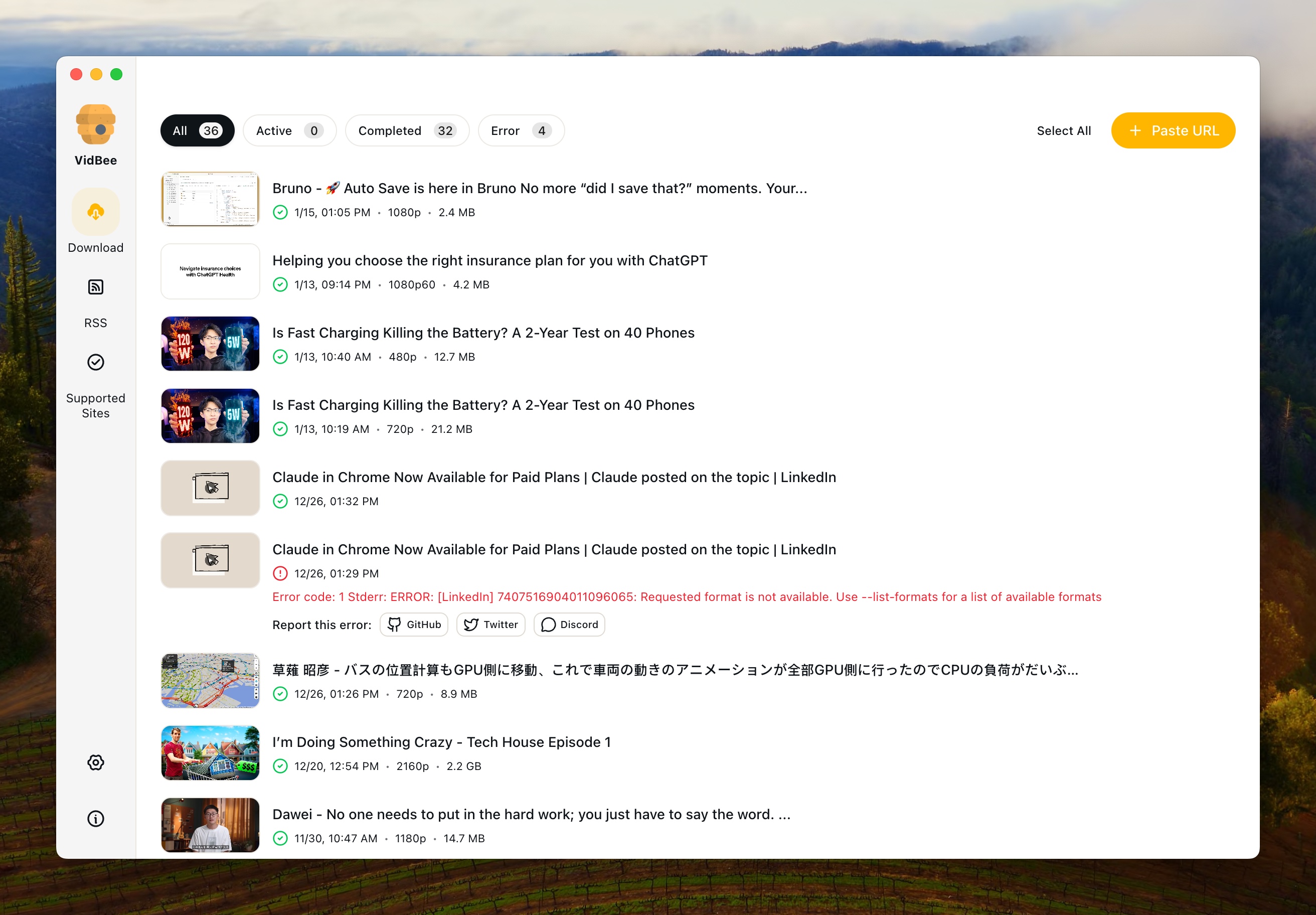
Interface Preview

VidBee

VidBee Interface Preview

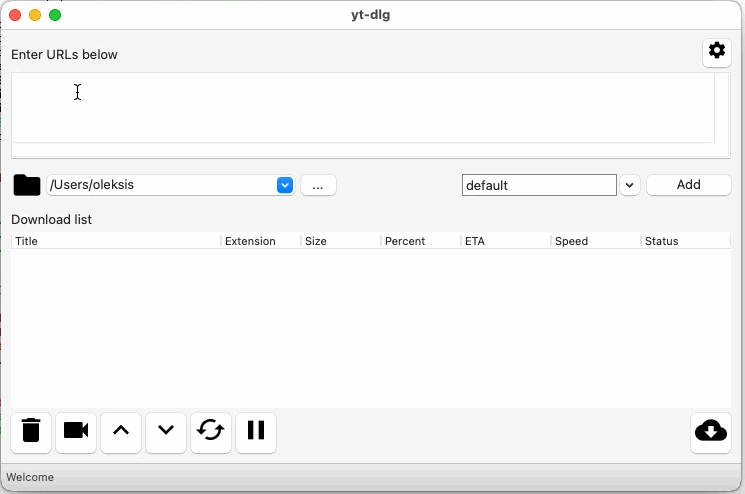
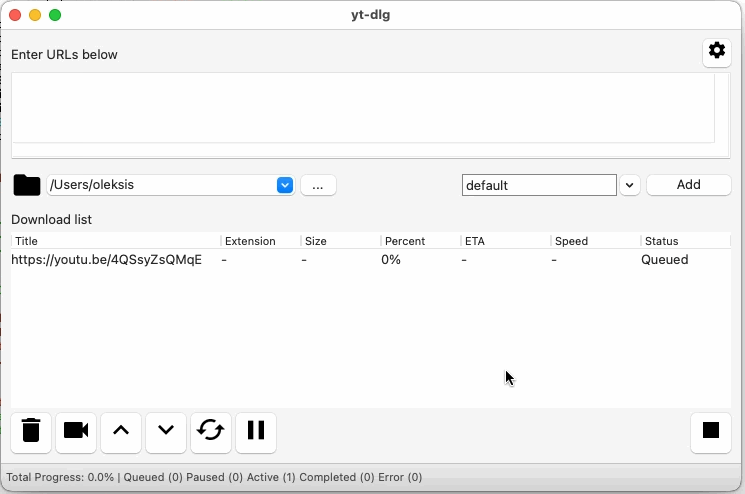
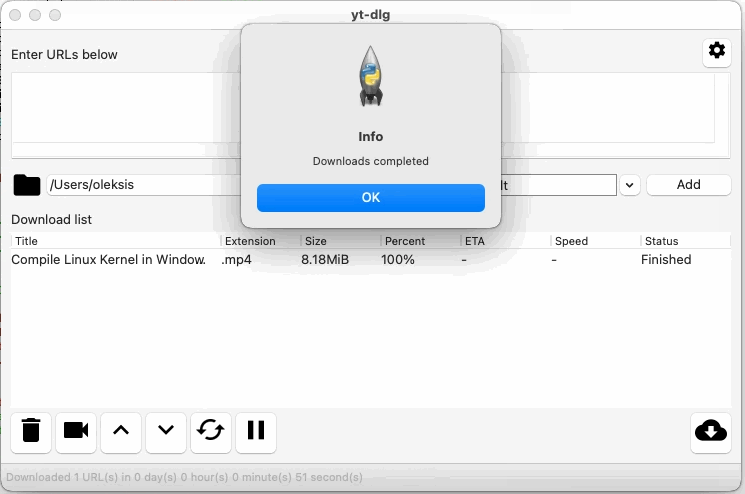
yt-dlp GUI

yt-dlp GUI Interface Preview

Why choose VidBee over yt-dlp GUI?

VidBeeyt-dlp GUI
Platform & Setup
Windows Support
macOS Support
Linux Support
Setup StyleBundled desktop app with yt-dlp and FFmpeg ready for local downloadsa general desktop GUI layer around yt-dlp for users avoiding the command line
Download Workflow
Single Video Downloads
Playlist or Batch Workflowusers who mainly want a visual wrapper around yt-dlp commands
Queue ManagementDesktop queue with pause, resume, review, and history trackingUseful as a GUI wrapper, but often lighter on polished queue workflows, RSS handling, and product-level desktop details
RSS Auto-downloadUsually lacks a built-in RSS-first automation workflow
Local transcripts and Ask AITranscribe downloaded or imported media on your computer, then ask AI with your providerCheck the official source links on this page for transcription or AI features
Quality & Formats
Format and Quality Control4K/8K formats, subtitle export, and yt-dlp level format controloften flexible, but the quality of the desktop workflow varies a lot from project to project
Subtitle ExportDepends on the source and the downloader workflow
Site CoveragePowered by yt-dlp for broad video and audio site supportBroad coverage through yt-dlp depending on the project and release quality
Ownership & Cost
License ModelOpen source desktop appvaries by project
PricingFreeusually free desktop software

Sources checked

Official sources behind this comparison

Last reviewed: June 16, 2026

This comparison uses VidBee official materials plus the current official yt-dlp GUI source links listed here. It focuses on documented platform support, setup model, ownership, and day-to-day downloader workflow. It does not claim that either tool is faster, safer, or more reliable without test data.

Understanding the Key Differences

Why compare VidBee and yt-dlp GUI?

People usually compare VidBee with yt-dlp GUI when they want a desktop downloader instead of an ad-filled website. VidBee focuses on a local queue-based workflow powered by yt-dlp, while yt-dlp GUI is often chosen for users who mainly want a visual wrapper around yt-dlp commands. The right fit depends on whether you want repeatable queue and RSS workflows or a tool tuned for a narrower style of downloading.

Platform coverage and setup experience

VidBee runs across Windows, macOS, and Linux with bundled download tooling, which keeps the first-run setup straightforward. yt-dlp GUI is positioned as a general desktop gui layer around yt-dlp for users avoiding the command line. If you want one downloader workflow across several operating systems, VidBee is easier to standardize around; if you only need the competitor's documented environment, its setup may be enough.

Queues, batches, and automation

VidBee is designed for larger queues, playlists, repeat downloads, and RSS-driven automation. yt-dlp GUI is described as users who mainly want a visual wrapper around yt-dlp commands, and its workflow tradeoffs show up when downloads become larger, more repetitive, or more automated. If you want to set rules once and keep processing in the background, VidBee gives that workflow a clearer place in the desktop app.

Formats, quality, and metadata

VidBee gives you yt-dlp style format control in a desktop UI, including higher-resolution downloads, subtitle exports, and metadata-aware saves. yt-dlp GUI handles formats as often flexible, but the quality of the desktop workflow varies a lot from project to project. That means the comparison often comes down to whether you prefer a simpler downloader flow or more control over final output.

Cost and long-term ownership

VidBee is open source and free to run locally. yt-dlp GUI uses a varies by project model and is priced as usually free desktop software. If transparency, local ownership, and no account-based paywall matter, VidBee is the open-source option to evaluate first.

Which downloader fits which workflow?

Choose VidBee if you want broad site support, queue management, RSS automation, and one cross-platform desktop workflow. Choose yt-dlp GUI if users who mainly want a visual wrapper around yt-dlp commands matters more than automation and long-running queue control. For people comparing long-term desktop download tools, VidBee is the more workflow-oriented option to test first, but the competitor may still be enough for narrower daily use.

Common yt-dlp GUI comparison scenarios

You archive the same channels every week

Test VidBee first

RSS subscriptions, persistent queues, history, and retries are designed for repeat work. This is where VidBee has a clearer workflow than a tool mainly used for occasional manual downloads.

You want the file and a searchable transcript

Test VidBee first

VidBee can download the video, transcribe speech on your computer, and then run Ask AI with the provider you choose. That keeps download and transcript in one desktop app.

You only grab one link occasionally

yt-dlp GUI may be enough

yt-dlp GUI can be a reasonable fit when users who mainly want a visual wrapper around yt-dlp commands describes your normal use and VidBee's RSS or queue features would sit unused.

You work across several desktops

Test VidBee for consistency

Using one open-source desktop workflow across Windows, macOS, and Linux reduces the amount of tool-specific setup you need to remember, especially when playlists, subtitles, and folders should behave the same way.

Limits and caveats

VidBee caveats

  • VidBee's installer can be larger because yt-dlp and FFmpeg are bundled for a more complete first-run setup.
  • VidBee is not a DRM bypass tool and should only be used for content you are allowed to access and download.
  • Site behavior can change upstream, so some downloads still depend on yt-dlp updates and the rules of the source platform.

yt-dlp GUI caveats

  • yt-dlp GUI can be the more appropriate choice when users who mainly want a visual wrapper around yt-dlp commands is the only workflow you need.
  • Official pricing, platform support, packaging, and license details should be rechecked before a long-term tool decision.
  • It may use a different dependency, queue, account, or update model, so test your own URLs rather than assuming feature parity from a table.

Pre-switch test

Test before replacing yt-dlp GUI

Run the same public, permitted examples in both apps before changing your daily downloader workflow.

  1. Check 1Install both apps from the official source links on this page.
  2. Check 2Download the same public single-video URL in VidBee and yt-dlp GUI.
  3. Check 3Try one playlist, channel, or small batch of URLs if that is part of your real workflow.
  4. Check 4Test subtitles, audio-only export, preferred quality, and output-folder naming if you rely on them.
  5. Check 5Check whether queue history, retries, and RSS subscriptions reduce manual repeat work.
  6. Check 6If you need text, transcribe one downloaded file in VidBee and try a summary or question with your AI provider.
  7. Check 7Review platform rules and only download content you are allowed to access.
  8. Check 8Keep yt-dlp GUI available until VidBee passes the exact workflows you use most often.

How to evaluate switching from yt-dlp GUI

1

List your current workflow

Write down what you actually use yt-dlp GUI for: one-off links, playlists, subtitles, audio extraction, repeated channel checks, or batch queues. That keeps the comparison tied to real work instead of a generic feature list.

2

Test the same links in VidBee

Install VidBee, paste a few representative URLs, choose the same output format, and check whether the queue, retry, subtitle, and history behavior matches what you need.

3

Move repeat work into queues or RSS

If the test works, migrate repeated downloads into VidBee queues or RSS subscriptions. Keep the competitor installed until you have confirmed folders, formats, subtitles, and legal access rules.

Resources

yt-dlp GUI comparison FAQ

Is VidBee a free alternative to yt-dlp GUI?

Yes. VidBee is a free, MIT-licensed open-source desktop downloader. yt-dlp GUI may still be the right fit for users who prefer users who mainly want a visual wrapper around yt-dlp commands, so the comparison depends on whether you want VidBee's cross-platform queue, RSS, and bundled-tool workflow.

Does VidBee work on the same platforms as yt-dlp GUI?

VidBee supports Windows, macOS, and Linux desktop workflows. yt-dlp GUI platform coverage should be checked from the official source links on this page, because installer support can change over time.

Does VidBee include yt-dlp and FFmpeg?

VidBee is built around a desktop downloader workflow with bundled yt-dlp and FFmpeg tooling, so common format, merge, subtitle, and audio workflows do not require a separate first-run dependency setup.

Which tool fits playlists and queues?

Use VidBee when playlists, batches, persistent queue review, retries, and download history matter. Use yt-dlp GUI when its documented workflow is already enough for your regular single-link or narrower download routine.

Which tool fits RSS or repeated downloads?

VidBee is designed around RSS and repeated download workflows. yt-dlp GUI's official materials checked for this page are useful for verifying whether RSS is a documented workflow for that tool before relying on it for unattended archiving.

Can VidBee replace yt-dlp GUI for every use case?

No. VidBee is strongest for open-source, cross-platform, queue-based, and RSS-friendly video download workflows. yt-dlp GUI can still be preferable when you need its exact interface, package ecosystem, or product-specific features.

Can VidBee transcribe a video after downloading it?

Yes. After a download or local import, VidBee can create a searchable transcript on your computer, with speakers and timestamps when speech is present. You can then summarize, translate, or ask questions with the AI provider you choose. Check the official source links on this page before assuming the same workflow exists in the other tool.
It's time to switch to VidBee

Completely free video downloader. No registration or account required.

Completely free. No registration or account required.