Key takeaways
- Online Web Risks: Most web-based Twitter downloaders are ad-heavy, throttle speeds, and often cap resolutions at 720p or lower.
- Desktop Superiority: A local desktop yt-dlp GUI like VidBee provides ad-free, unthrottled downloads directly to your local storage.
- Batch & Queue Power: Desktop tools allow you to paste multiple tweet URLs at once, manage download queues, and automatically retry failed tasks.
- Privacy & Safety: Local processing means your download history and cookies never pass through third-party servers, keeping your archiving workflow secure.
Why a Desktop yt-dlp GUI is the Ultimate Twitter Downloader
To escape the limitations of web-based tools, professional archivists and power users rely on yt-dlp, the gold standard command-line engine for media extraction. However, typing complex commands into a terminal is not for everyone. That is where a desktop yt-dlp GUI like VidBee comes in, wrapping the immense power of the command line in a clean, intuitive desktop interface.
When you use VidBee, the downloading process happens directly between your computer and the Twitter (X) media servers. There is no middleman cloud server throttling your speed or intercepting your traffic. VidBee uses your full network bandwidth, allowing you to download large video files in a fraction of the time it takes on a web-based platform.
VidBee does not compress or downgrade your files. It queries the Twitter API and media manifests to fetch the absolute highest quality stream available, up to 1080p, 4K, or 8K when the source provides it. If a video was uploaded in high definition, you will get it in high definition, complete with the original frame rates and audio bitrates intact.
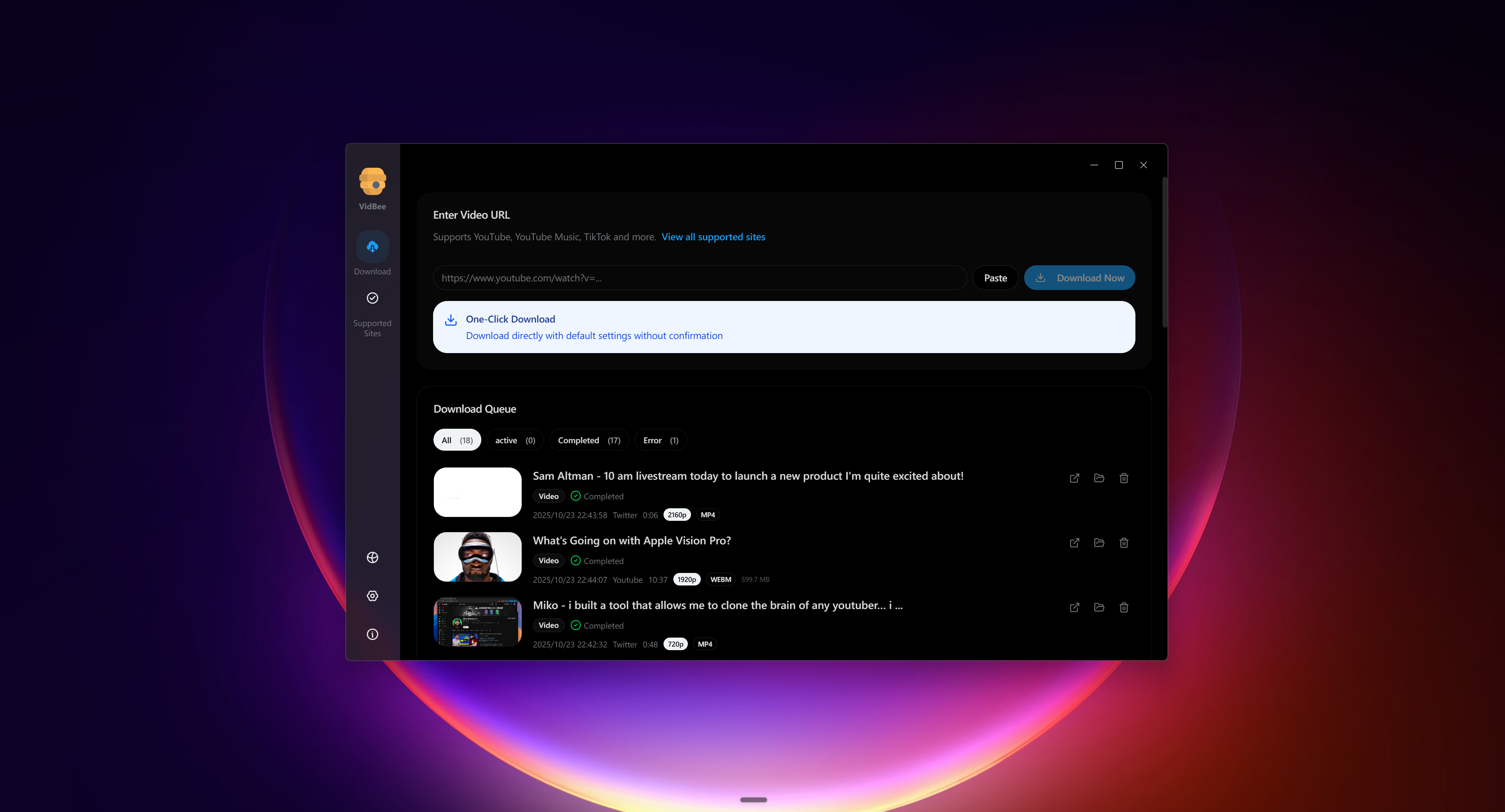
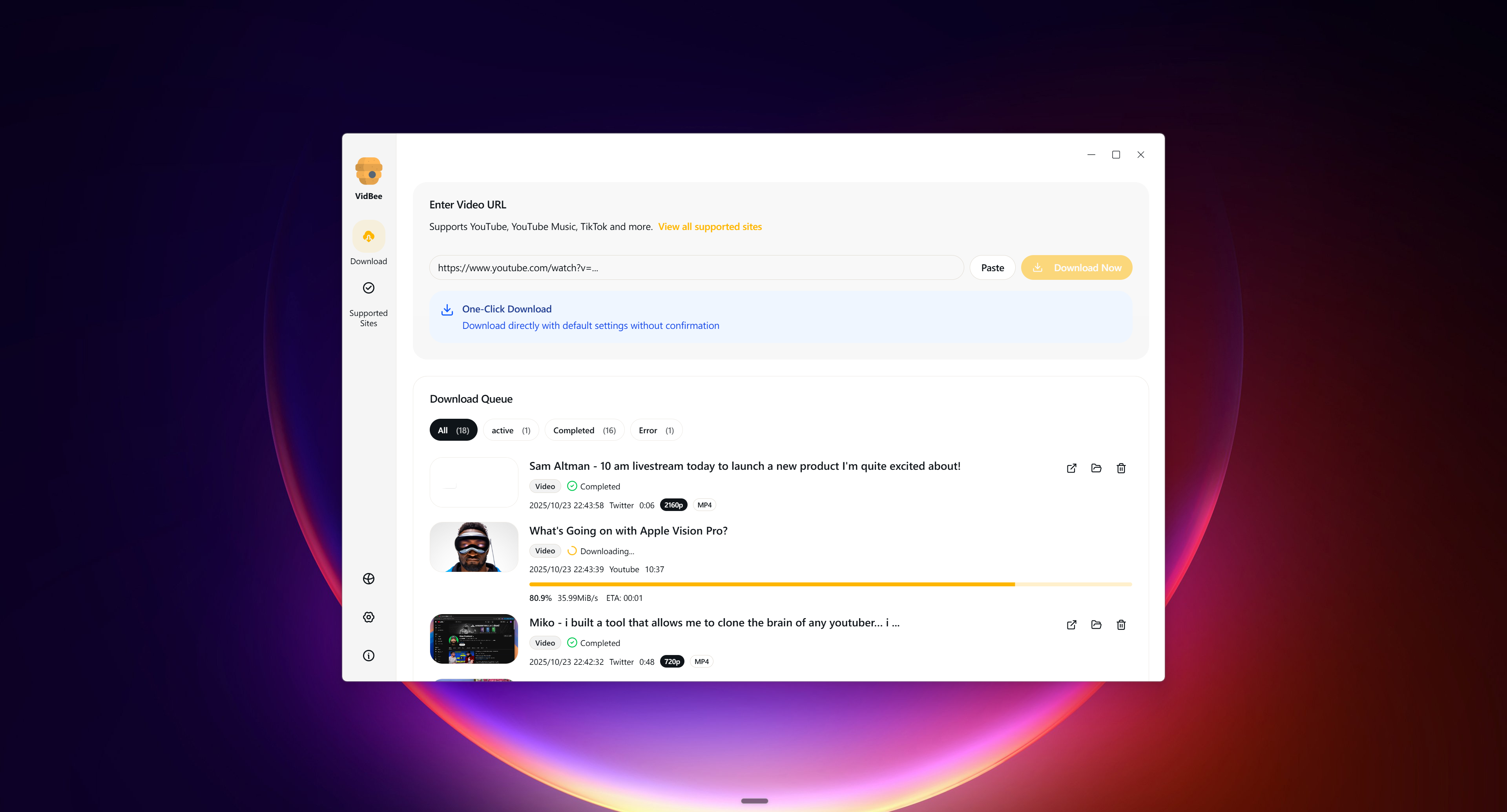
Why download videos one by one when you can automate the process? VidBee features a robust desktop queue that lets you paste multiple tweet links at once. You can import a list of URLs, configure your desired quality settings, and let VidBee download the entire batch in the background while you focus on other work.
Social media networks can be unstable, and temporary network drops can ruin a long download. Unlike web tools that force you to restart the entire process from scratch, VidBee includes configurable, automatic retry logic. If a download fails due to a network hiccup, VidBee will pause, wait for a stable connection, and resume exactly where it left off.
VidBee vs. Online Web Downloaders: A Detailed Comparison
To help you make the best decision for your media workflow, let's compare the technical and operational differences between VidBee's desktop application and typical online web-based downloaders.
| Feature / Dimension | VidBee Desktop App | Online Web Downloaders |
|---|---|---|
| Price & Licensing | 100% Free, Open Source (MIT) | Free (Supported by aggressive ads) |
| Download Speeds | Unthrottled (Direct local connection) | Heavily throttled to save server bandwidth |
| Maximum Resolution | True HD, 4K, and 8K (Source dependent) | Often capped at 720p or 360p |
| Batch Downloading | Supported (Unlimited queue size) | Rarely supported; usually one-by-one |
| Ad Experience | 100% Ad-Free | High volume of pop-ups, redirects, and banners |
| Privacy & Security | Fully local processing; no server tracking | User data, links, and IP addresses are logged |
| Automatic Retry | Yes (Configurable retry logic) | No; failed downloads must be restarted |
| Restricted Content | Supported via secure local cookies | Unsupported (Cannot access signed-in content) |
| File Organization | Custom naming rules and folder sorting | Randomized, messy file names |
Step-by-Step: How to Download Twitter Video Files in HD
Setting up a professional archiving workflow with VidBee is incredibly simple. Because VidBee is a native desktop application, it runs locally on macOS, Windows, and Linux without requiring complex dependencies or command-line setups.
Step 1: Copy the Tweet URL. Navigate to Twitter (X) and find the post containing the video you want to save. Click the share icon and select "Copy link", or copy the URL directly from your browser's address bar.
Step 2: Paste into VidBee. Open VidBee on your desktop. The application will automatically detect the copied link in your clipboard. Paste the URL into the input field. If you have multiple links, you can paste them line-by-line to build a batch queue.
Step 3: Choose Your Quality and Format. VidBee will parse the link and display all available resolutions, formats, and audio tracks. Select your preferred video container (such as MP4 or MKV) or choose to extract the audio only as an MP3.
Step 4: Click Download. Select your destination folder and click the download button. VidBee will execute the local yt-dlp engine, download the files directly to your hard drive, and update the progress bar in real-time.
Mike, a freelance video editor, was hired to produce a documentary-style video essay about a trending social media event. He needed to download a batch of fifty different interview clips and reaction videos scattered across a massive X thread.
Using his old workflow, Mike would have spent his entire afternoon copying links, pasting them into a web downloader, waiting for slow servers, and renaming the randomly generated file names. Instead, Mike opened VidBee, pasted all fifty links into the batch queue, set a custom naming rule, and clicked download.
While he made a cup of coffee, VidBee processed the entire queue in the background, automatically retried two temporary network timeouts, and saved fifty perfectly named, high-definition MP4 files directly into his project folder. What used to take four hours was completed in under ten minutes.
Advanced Twitter Archiving: Subtitles, Audio, and Custom Naming
For advanced users, journalists, and researchers, basic video downloading is only half the battle. Professional archiving often requires extracting specific media components and organizing files systematically.
Extracting Audio-Only Files: If you are archiving Twitter Spaces, podcast clips, or interviews, you often do not need the video track. VidBee makes it easy to extract high-quality audio files. By selecting the audio-only preset, VidBee will download the media stream and use its bundled FFmpeg engine to convert the file into a clean MP3 or M4A format automatically.
Custom Naming Rules and Metadata: When you download files from the web, they are often saved with confusing, randomized names like vid_9823749823.mp4. This makes finding the right clip later nearly impossible. VidBee allows you to set custom naming templates using metadata tokens. You can automatically name your files based on the uploader's username, the upload date, the tweet ID, or the video title, keeping your local library perfectly organized.
Reusing Browser Cookies for Restricted Content: Some Twitter (X) content may be age-gated, private, or restricted to logged-in users. Web-based downloaders cannot access these videos because they do not have your session data. VidBee solves this by allowing you to securely reuse your active browser cookies.
By pointing VidBee to your browser's cookie file, the local yt-dlp engine can authenticate with Twitter (X) using your existing, signed-in session. This allows you to download permitted content that you have the right to access, without ever exposing your password to the application. For detailed instructions on setting this up safely, refer to the VidBee cookies guide.
Safe, Lawful, and Compliant Media Archiving
As an open-source project, VidBee is built on the principles of transparency, user control, and respect for platform terms. When downloading media from social networks like Twitter (X), it is important to understand the legal and technical boundaries of digital archiving.
Respecting Copyright and Intellectual Property: VidBee is designed as a local utility to help users archive and back up media they have the lawful right to access and use. You should always respect copyright laws and the intellectual property rights of content creators. Do not redistribute, re-upload, or commercially exploit downloaded videos without explicit permission from the copyright owner.
No DRM Bypass: In alignment with our core compliance policies, VidBee does not support downloading DRM-protected (Digital Rights Management) or copy-protected content. VidBee only extracts publicly accessible media streams or streams accessible via your authorized, signed-in browser session. For more details on our compliance stance, please read the VidBee Terms of Use.
Protecting Your Personal Data: Because VidBee runs entirely on your local machine, your personal data remains private. VidBee does not track your download history, log your IP address, or collect the links you parse. If you use the browser cookies feature to download restricted content, those cookies are read locally and sent directly to Twitter's servers to authenticate the stream, they are never uploaded to VidBee or any third-party database. To learn more about how we protect your information, review the VidBee Privacy Policy.
Use this with VidBee
FAQ
How do I download Twitter videos in 1080p?
To download a video in 1080p, the original video must have been uploaded to Twitter (X) in that resolution. When you paste the link into VidBee, the application parses the video's media manifest and lists all available resolutions. Simply select the 1080p option from the dropdown menu before clicking download.
Can I download a whole thread of Twitter videos at once?
Yes. If a Twitter (X) thread contains multiple videos, you can copy the link to each tweet and paste them into VidBee's batch input field. VidBee will automatically queue all the links and download them sequentially.
Is it safe to use online Twitter downloaders?
Most online web downloaders are funded by aggressive advertising networks. These sites often use misleading 'Download' buttons that redirect users to malicious websites, push unwanted browser extensions, or attempt to install malware. Using a local, open-source desktop application like VidBee is a much safer alternative because it contains no ads, trackers, or bundled software.
Does VidBee work on both Mac and Windows?
Yes. VidBee is a cross-platform desktop application built with Electron. It provides native installers and full feature parity for macOS (including Apple Silicon and Intel builds), Windows 10 and later, and Linux (via AppImage and .deb packages).
Can I convert Twitter videos to MP3?
Yes. If you only need the audio track of a video (such as a speech, interview, or song), paste the link into VidBee and select the 'Audio Only' preset. VidBee will download the stream and use its built-in FFmpeg engine to extract and convert the audio into a clean MP3 or M4A file.