Key takeaways
- Open-source desktop tools (VidBee, Stacher, Parabolic) lean on yt-dlp for broad site coverage, ad-free queues, remux, and local control.
- Commercial apps (Downie, 4K Video Downloader, MediaHuman) trade polish and vendor updates for license cost and platform limits.
- cobalt.tools fits one-off web downloads; JDownloader fits multi-protocol host/forum workflows more than simple video queues.
- No general-purpose video downloader supports DRM; use cookies only for content you are allowed to access.
The most useful video downloader picks in 2026 include VidBee, Downie, Stacher, cobalt.tools, and 4K Video Downloader. Each fits a different OS mix, budget, and archiving workflow.
Most online video downloaders are ad-heavy, throttle speeds, and send your links through third-party servers. When you need to back up tutorials, creator videos, or course material, you either fight sketchy web tools or wrestle with yt-dlp in a terminal.
This guide compares eleven mainstream tools across licensing, platform support, queues, automation, and privacy. You will see where Downie fits macOS-only users, where Stacher exposes yt-dlp parameters, where cobalt.tools wins on zero-install convenience, and where VidBee combines open-source desktop queues with optional Docker deployment.
Want a clean local workflow without ads? Explore VidBee features →
2026 video downloader comparison matrix
| Dimension | VidBee | Downie | Stacher | cobalt.tools | 4K Video Downloader | JDownloader |
|---|---|---|---|---|---|---|
| License | Open source (MIT) | Commercial | Free (wrapper) | Open source (AGPL-3.0) | Commercial freemium | Open source (GPL family) |
| Price | Free | ~$18.99 or Setapp [needs refresh] |
Free | Free | Free with limits / paid [needs refresh] |
Free |
| Platforms | macOS, Windows, Linux, Docker | macOS only | Windows, macOS, Linux | Web (any browser) | Windows, macOS, Linux, Android | Windows, macOS, Linux (Java) |
| Engine | Bundled yt-dlp + FFmpeg | Proprietary | yt-dlp + FFmpeg (often manual) | Hosted/self-hosted API | Proprietary | Plugins + multi-protocol core |
| Batch / queue | Yes (lists, channels, history) | Yes | Yes | Single-link focus | Yes (free tier limits) | Yes (complex UI) |
| RSS automation | Yes (background queue) | Verify per version; not core marketing | Depends on setup; test feeds | No | Paid-tier feature [needs refresh] |
Yes with rules |
| Self-hosting | Docker API/Web | No | No | Self-hosted instance | No | JDownloader MyJDownloader API |
| DRM | Not supported | Not supported | Not supported | Not supported | Not supported | Not supported |
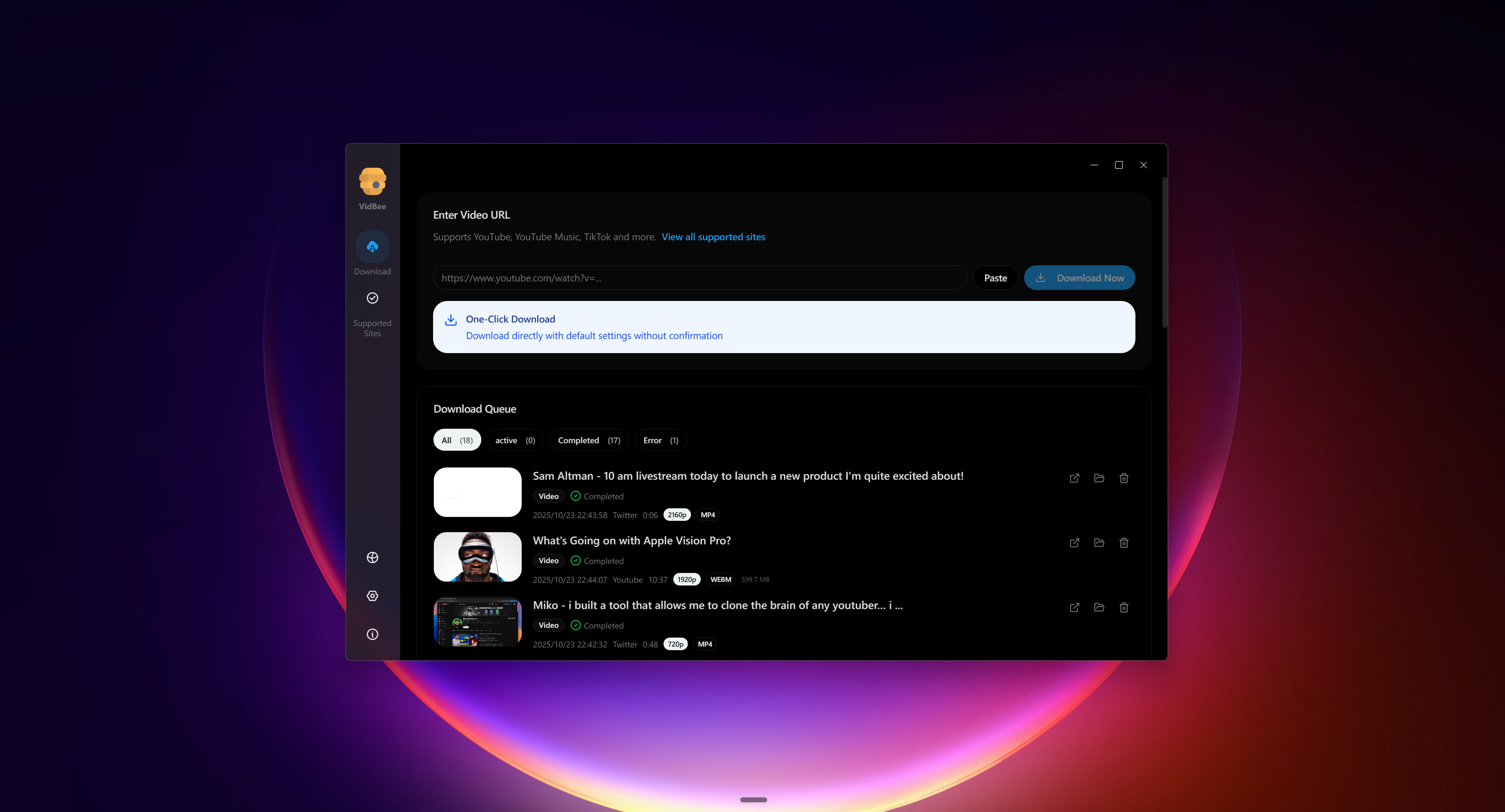
VidBee desktop UI: paste a URL, pick formats, and send jobs to a local queue (screenshot from the official VidBee repository).
In-depth reviews: eleven video downloaders
1. VidBee: bundled, open-source desktop archiver
VidBee is a free, MIT-licensed desktop video downloader built with TypeScript and Electron. It uses the yt-dlp extractor ecosystem. As of June 2026, the GitHub repo shows roughly 9,400+ stars and 700+ forks; latest release cited in product materials is v1.3.10 (2026-04-11) — confirm on GitHub Releases before publishing.
Who it is for
- Creators and editors who switch between macOS, Windows, and Linux
- Users who want yt-dlp coverage without living in a terminal
- Learners and researchers archiving channels, playlists, or RSS feeds
- Self-hosters who want Docker API/Web on a NAS or home server
At a glance
| Dimension | Details |
|---|---|
| Site | vidbee.org |
| License | MIT |
| Platforms | macOS, Windows, Linux; optional Docker Web/API |
| Price | Free |
| Engine | Bundled yt-dlp, FFmpeg, ffprobe, Deno |
| Site coverage | yt-dlp extractors; supported-sites snapshot listed 1,843 extractors (2025-12-09) |
Typical workflow
- Install from the download page (macOS Apple Silicon/Intel, Windows 10+, AppImage,
.deb). - Paste a single URL, playlist, channel link, or batch URLs into the queue.
- Pick quality, container (Auto / MP4 / MKV / WebM / Original), subtitles, or audio-only.
- Import browser cookies when needed for content you are allowed to access (cookies guide).
- Configure RSS feeds for repeat sources.
- Optional: send links via
vidbee://from browsers, extensions, or scripts.
Core capabilities
Queues and history: VidBee treats download management as a first-class feature. Pause, resume, retry, and inspect speed and ETA. Long playlists are easier to control than one-off web paste tools.
Formats and remux: Per the formats guide, VidBee remuxes into common containers instead of re-encoding when possible. 4K/8K only when the source provides those streams; FFmpeg is bundled for merge steps.
RSS automation: Filter feeds, set folders, and pull only new items. Note: public rsshub.app may be Cloudflare-protected; self-hosted RSSHub or stable feeds work better.
Docker: Docker stack for NAS, home servers, or cloud VMs when you do not want a desktop app running 24/7.
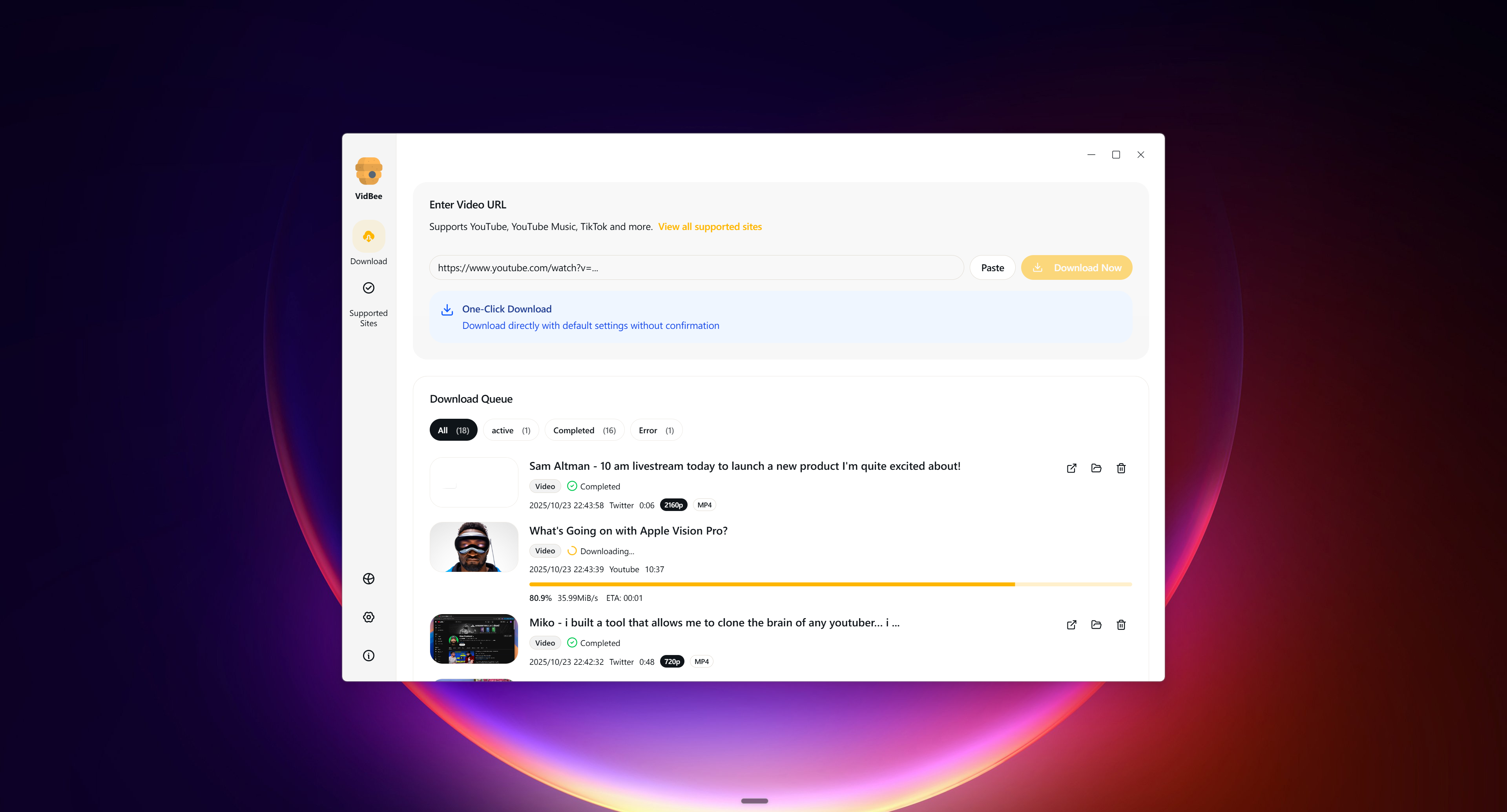
Batch queue view: multiple downloads, progress bars, and retry-friendly task management (official VidBee screenshot).
Limitations and compliance
- No DRM support.
- No official partnership with content platforms; follow copyright and terms yourself.
- Windows browser cookie import is documented for Firefox; other browsers use cookie files.
- Optional analytics may exist on site/client; do not assume zero telemetry everywhere.
Better fit / weaker fit
| Better fit for VidBee | Consider alternatives if |
|---|---|
| Cross-platform one workflow | You only use macOS and want a native app (Downie) |
| Large queues, history, retries | You download one public clip occasionally |
| RSS repeat archives | You only need deep YouTube tooling (YoutubeDownloader) |
| Auditable open source | You need forum/hosting/torrent swiss-army (JDownloader) |
Testing checklist
- Download the same public video on macOS and Windows; compare folders, subtitles, and quality.
- Test one playlist and one channel URL.
- On Linux, verify AppImage or
.debif cross-platform consistency matters. - Test cookies only for content you may legally access.
- Read features and open-source video downloader.
Further reading: Download VidBee
2. Downie: macOS-native commercial downloader
For Mac-only users, Downie is a well-known native app. The site claims 1,000+ sites, browser extensions, format picks, and subtitles. Typical price is about $18.99 one-time or Setapp [needs refresh].
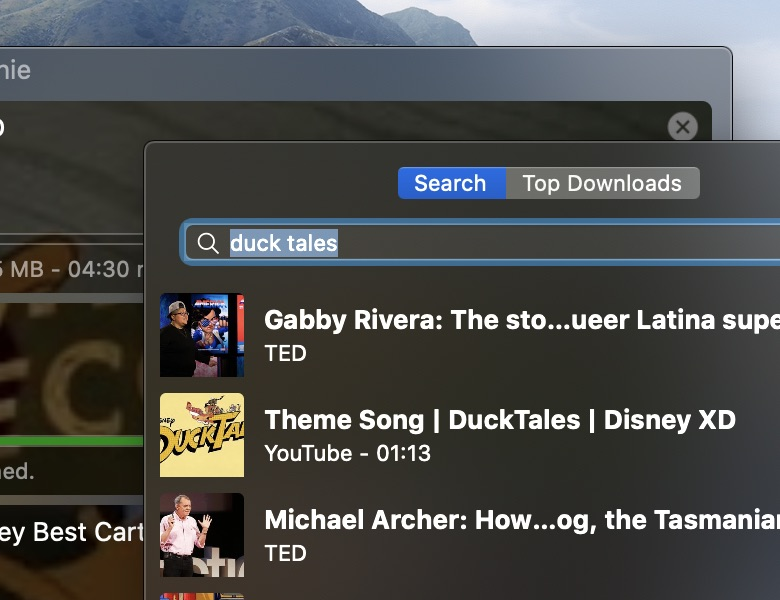
Downie in-app UI from the VidBee vs Downie comparison gallery. Verify pricing and feature claims on the vendor site before purchasing.
Who it is for
- Long-term macOS users who will pay for polish and vendor maintenance
- Users who want Safari/Chrome extensions and minimal yt-dlp tinkering
- Not a fit if you also edit on Windows or Linux
At a glance
| Dimension | Details |
|---|---|
| Platforms | macOS only |
| License | Commercial closed source |
| Price | ~$18.99 / Setapp [needs refresh] |
| Coverage | Site claims 1,000+ sites |
| Compare | VidBee vs Downie |
Typical workflow
- Install Downie and its browser extension from the site or Mac App Store
- Open a video page and send the URL via extension or paste
- Confirm resolution, container, subtitles, and save path
- Test playlist/channel behavior on your real sites
- Verify output in Finder before editing
Core capabilities
Native macOS UX: Menu bar, drag-and-drop, shortcuts, and notifications feel at home on Mac.
Browser capture: Extensions reduce tab switching; site support still depends on page structure and app version.
Vendor updates: Closed-client fixes ship as app updates when sites change.
Formats and queues: Common quality and subtitle options; verify RSS-style automation yourself before buying if that is critical.
Limitations and compliance
- macOS only
- Closed source; cannot audit like MIT projects
- No DRM support
- Paid license may matter for budget users
Better fit / weaker fit
| Better fit for Downie | Consider alternatives if |
|---|---|
| Pure Mac + native UI | You need Mac and Windows parity (VidBee) |
| Pay for convenience | You want zero-cost open source |
| Extension send-to-app | You need heavy RSS/Docker automation |
Testing checklist
- Download from three sites you use weekly
- Compare extension vs paste reliability
- Run a medium playlist and note retries
- Read the compare page feature table
Further reading: VidBee vs Downie
3. Stacher: customizable yt-dlp GUI
Stacher is a free yt-dlp GUI often discussed in technical communities. Stacher 7 materials list Windows, macOS, and Linux; engine behavior follows yt-dlp and FFmpeg — confirm whether dependencies are bundled in your build [needs refresh].

Stacher desktop UI from the VidBee vs Stacher comparison gallery.
Who it is for
- Users comfortable with yt-dlp who want a GUI for flags and templates
- Cross-platform users who accept occasional dependency maintenance
- Not ideal if you want zero-config bundled engines and RSS-first product UX
At a glance
| Dimension | Details |
|---|---|
| License | Open source (see repo) |
| Platforms | Windows, macOS, Linux |
| Engine | yt-dlp + FFmpeg (paths may be manual) |
| Compare | VidBee vs Stacher |
Typical workflow
- Install the platform build
- Ensure yt-dlp and FFmpeg are current
- Paste URLs; add native flags when needed
- Read logs; upgrade yt-dlp on failures
- Pilot automation on a small channel before scaling
Core capabilities
Parameter surface: Expose yt-dlp flags for power users.
Community engine: Site fixes often mean updating yt-dlp, not waiting for GUI releases.
Batch basics: Queues work; multi-feed RSS may need more setup than VidBee's panel — test your version.
Limitations and compliance
- More setup than bundled installers
- No DRM
- Privacy depends on build and config
Better fit / weaker fit
| Better fit for Stacher | Consider alternatives if |
|---|---|
| Keep yt-dlp swappable | You want all dependencies bundled (VidBee) |
| Enjoy tuning flags | You want RSS + Docker in one product |
Testing checklist
- Fresh install without manual deps: try YouTube + one non-YouTube URL
- Upgrade yt-dlp and retest
- Run a 20+ item playlist
- Read compare notes on dependencies
Further reading: VidBee vs Stacher
4. cobalt.tools: zero-install web workflow
cobalt.tools is a popular AGPL-3.0 web extractor. It fits one-off downloads, not long-term desktop archives.
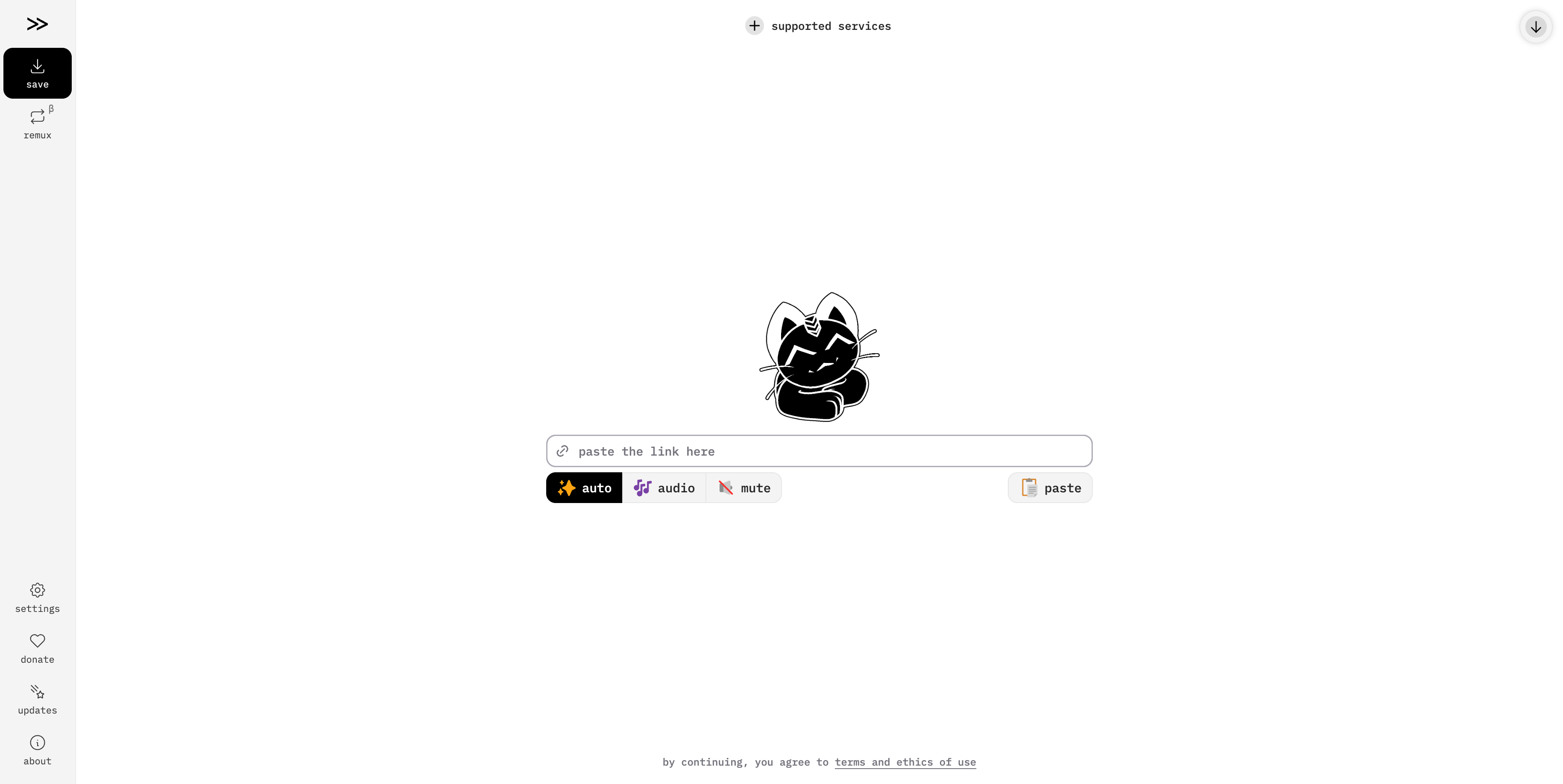
cobalt.tools hosted UI: minimal paste-and-download workflow (captured June 2026).
Who it is for
- Quick single-link saves without installing software
- Users who can use the public instance or self-host
- Not for RSS, history, or large playlist queues
At a glance
| Dimension | Details |
|---|---|
| Form | Web (self-hostable) |
| License | AGPL-3.0 |
| Install | None when using hosted site |
| Compare | VidBee vs cobalt.tools |
Typical workflow
- Open cobalt or your instance
- Paste the page URL and pick an offered format
- Download; large files depend on browser and server bandwidth
- Retry later or self-host if the public instance is busy
Core capabilities
Zero install: Fast for occasional public clips.
Clean UI: Unlike ad farms; still a hosted parse path when you use their servers.
Self-host: AGPL allows your own infra; architecture is request → parse → return, not a desktop queue.
Limitations and compliance
- Hosted instances may rate-limit or queue
- Links pass through servers on hosted use
- No DRM
- Not equivalent to VidBee's desktop archive platform
Better fit / weaker fit
| Better fit for cobalt.tools | Consider alternatives if |
|---|---|
| One-off downloads | You need queues and RSS |
| Cannot install apps | You need cross-platform desktop UI |
Testing checklist
- Test peak vs off-peak stability
- See how playlist URLs behave
- Compare self-host cost vs desktop
- Read architecture compare page
Further reading: VidBee vs cobalt.tools
5. 4K Video Downloader: consumer commercial client
4K Video Downloader is a long-running commercial tool focused on high resolutions and playlists. Free tier limits apply [needs refresh].
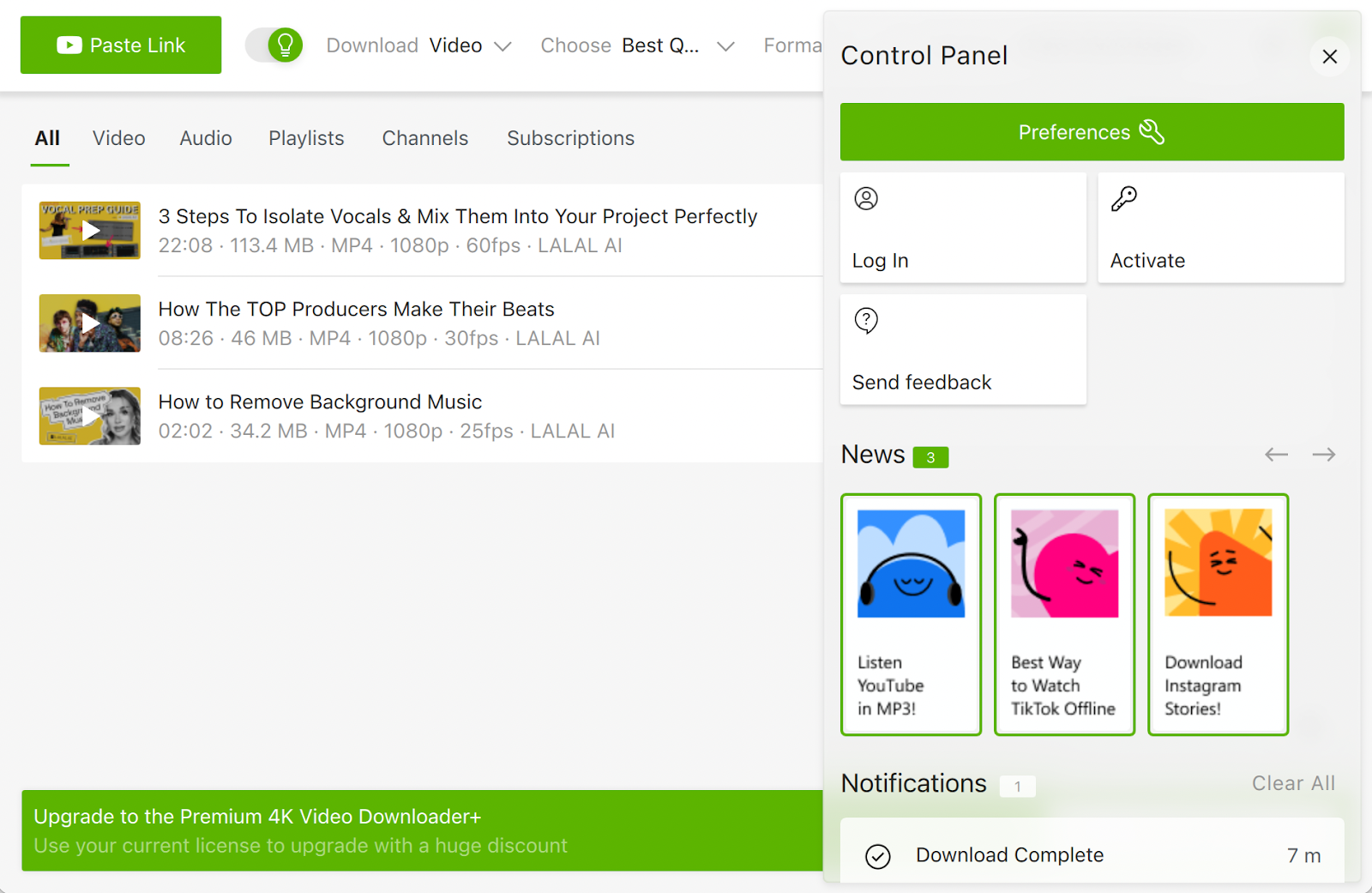
4K Video Downloader UI from the VidBee vs 4K Video Downloader comparison gallery.
Who it is for
- Mainly YouTube-focused users who want a familiar desktop app
- Users willing to pay to remove daily/list caps
- Less ideal for open-source NAS Docker archives or broad extractor coverage
At a glance
| Dimension | Details |
|---|---|
| Platforms | Windows, macOS (confirm on site) |
| License | Commercial |
| Free tier | Daily/item limits [needs refresh] |
| Compare | VidBee vs 4K Video Downloader |
Typical workflow
- Install and pick free or paid license
- Paste video or playlist URLs
- Choose resolution and subtitles
- Wait for merge; upgrade if you hit free caps
Core capabilities
High resolutions: 4K/8K when the source actually provides them.
Playlists and subtitles: Strong consumer features; free tier may block long lists.
Closed product: Polished, less flexible than yt-dlp community extractors.
Limitations and compliance
- Free limits hurt heavy users
[needs refresh] - Closed source
- No DRM
Better fit / weaker fit
| Better fit for 4K Video Downloader | Consider alternatives if |
|---|---|
| Pay for simplicity | You want MIT + multi-site RSS |
| Mostly YouTube HD | You need Linux Docker workflows |
Testing checklist
- Compare free-tier resolutions on a 4K public video
- Test a 10+ item playlist
- Track daily download count
- Read parameter compare page
Further reading: VidBee vs 4K Video Downloader
6. JDownloader: multi-protocol download manager
JDownloader is a Java-based general download manager for hosts, forums, HTTP/FTP, and more — not a lightweight video-only GUI.

JDownloader LinkGrabber from the VidBee vs JDownloader comparison gallery.
Who it is for
- Forum/hosting mirror workflows with captchas and archives
- Power users who already live in JDownloader
- Video-only YouTube archives are usually simpler in VidBee-like tools
At a glance
| Dimension | Details |
|---|---|
| Platforms | Windows, macOS, Linux (Java) |
| License | Open source (GPL family) |
| Strength | Plugins and multi-protocol |
| Compare | VidBee vs JDownloader |
Typical workflow
- Install JDownloader + Java
- Let it capture links from a page
- Tune concurrency, accounts, and unpack rules
- Confirm video plugins and merge steps
- Validate files after download
Core capabilities
Plugin ecosystem: Hundreds of host-specific plugins.
Automation extras: Captcha helpers, multi-account, unpack chains.
Heavy UI: Swing-era complexity and higher JVM memory use.
Limitations and compliance
- Steep learning curve
- Some plugins target gray-area hosts — stay lawful
- No DRM
Better fit / weaker fit
| Better fit for JDownloader | Consider alternatives if |
|---|---|
| Hosts + forums | You want video RSS queues |
| Already invested in JD | You want modern video-first UI |
Testing checklist
- Count steps for a plain YouTube URL
- Test a forum page with host links
- Check idle RAM
- Read scenario compare page
Further reading: VidBee vs JDownloader
7. ClipGrab: simple legacy grabber
ClipGrab is a long-running free grabber for Windows, macOS, and Linux with built-in search and MP3/MP4 presets.

ClipGrab UI from the VidBee vs ClipGrab comparison gallery.
Who it is for
- Occasional downloads with minimal setup
- Users who do not need RSS, Docker, or deep queues
- Evaluate installer options carefully given past bundling complaints
At a glance
| Dimension | Details |
|---|---|
| Platforms | Windows, macOS, Linux |
| License | Free (see site) |
| Notes | Search + conversion presets |
| Compare | VidBee vs ClipGrab |
Typical workflow
- Watch every installer screen for optional offers
- Search or paste a URL
- Pick MP3/MP4 preset
- Verify output quality
Core capabilities
Built-in search: Convenient for casual use.
Presets: Easy for beginners; fewer advanced controls.
Maintenance: Slower refresh than yt-dlp community pace.
Limitations and compliance
- Historical bundled-offer concerns on installers
- Site coverage needs your own tests
- No DRM
Better fit / weaker fit
| Better fit for ClipGrab | Consider alternatives if |
|---|---|
| Rare simple jobs | You archive at scale |
| Search is enough | You need RSS/Docker |
Testing checklist
- Screenshot installer choices
- Test three daily sites
- Compare MP3 output
- Read safety compare notes
Further reading: VidBee vs ClipGrab
8. MediaHuman YouTube Downloader: commercial YouTube watcher
MediaHuman YouTube Downloader targets Mac/Windows users who want playlist/channel watching and Apple Music import. Full license often around $19.99 [needs refresh].
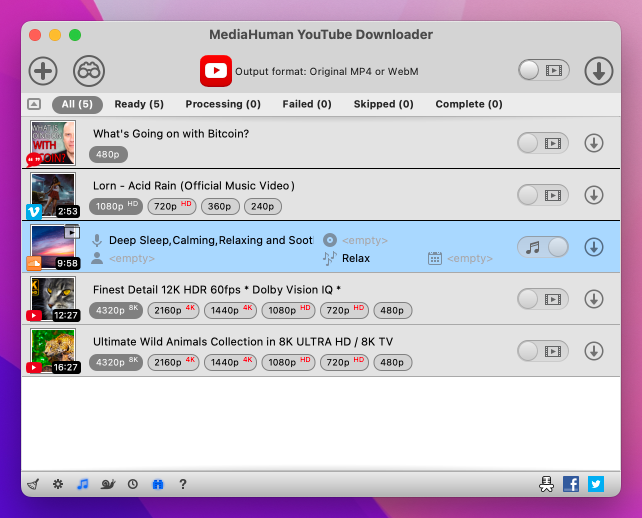
MediaHuman UI from the VidBee vs MediaHuman comparison gallery.
Who it is for
- YouTube-first subscribers who want auto-fetch
- Mac users importing into Apple Music
- Not for Linux/Docker or broad multi-site archiving
At a glance
| Dimension | Details |
|---|---|
| Platforms | macOS, Windows |
| License | Commercial |
| Price | ~$19.99 [needs refresh] |
| Compare | VidBee vs MediaHuman |
Typical workflow
- Install trial or full license
- Add channel/playlist URLs and enable watch rules
- Set quality and Music import options
- Monitor missed items over a week
Core capabilities
Channel/playlist watch: Similar intent to RSS repeat archives — test equivalence yourself.
Music library hook: Useful on Mac; VidBee defaults to filesystem paths.
Performance: Vendor claims efficient multi-threaded lists.
Limitations and compliance
- Trial limits
[needs refresh] - Closed source
- YouTube-centric
- No DRM
Better fit / weaker fit
| Better fit for MediaHuman YouTube Downloader | Consider alternatives if |
|---|---|
| YouTube + Music import | You need Linux or Docker |
| Paid polish | You want MIT open source |
Testing checklist
- Watch a small channel two weeks
- Verify Music metadata
- Note trial caps
- Read compare details
Further reading: VidBee vs MediaHuman
9. Parabolic: lightweight GTK yt-dlp front-end
Parabolic (Tube Converter) is a C#/GTK yt-dlp GUI for users who want a minimal desktop shell.
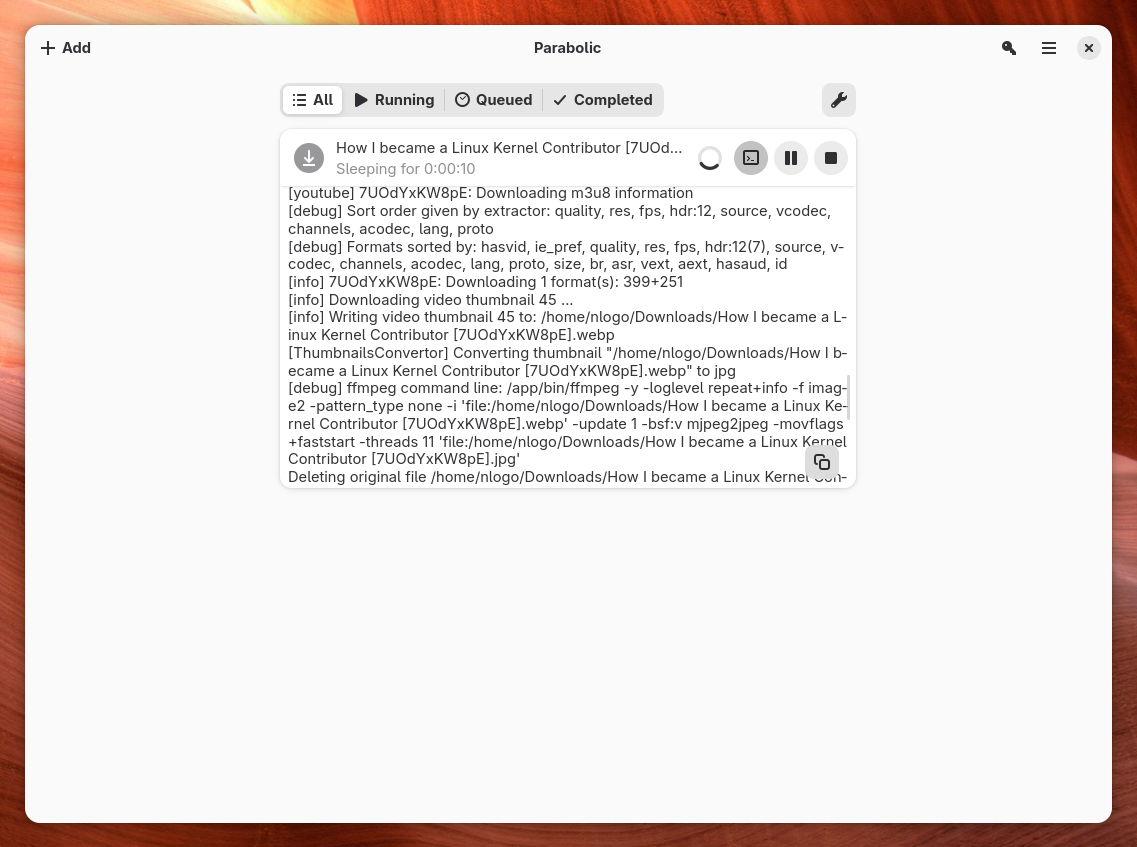
Parabolic UI from the VidBee vs Parabolic comparison gallery.
Who it is for
- GNOME/Linux users who prefer GTK over Electron
- Light batch jobs with subtitles and resume
- Not aimed at RSS platforms or Docker APIs
At a glance
| Dimension | Details |
|---|---|
| License | Open source (see repo) |
| Platforms | Linux, Windows, macOS builds |
| Engine | yt-dlp + FFmpeg |
| Compare | VidBee vs Parabolic |
Typical workflow
- Install via Flatpak, distro repo, or GitHub release
- Confirm yt-dlp/FFmpeg versions
- Paste URLs; pick formats
- Test resume after network drop
Core capabilities
Minimal UI: Low-noise GTK experience.
yt-dlp passthrough: Resume, subtitles, and formats follow extractor support.
Scope: Strong desktop GUI, not a full archive platform.
Limitations and compliance
- Depends on yt-dlp updates
- No DRM
- GTK rendering varies by theme on Win/Mac
Better fit / weaker fit
| Better fit for Parabolic | Consider alternatives if |
|---|---|
| GTK + lightweight | You need RSS + Docker |
| Small footprint | You want identical Electron UI everywhere |
Testing checklist
- Check UI on your desktop environment
- Test resume behavior
- Compare subtitle outputs with VidBee
- Read performance compare
Further reading: VidBee vs Parabolic
10. YoutubeDownloader: YouTube-focused C# tool
YoutubeDownloader is a high-star C# client optimized for YouTube on Windows, Linux, and macOS.
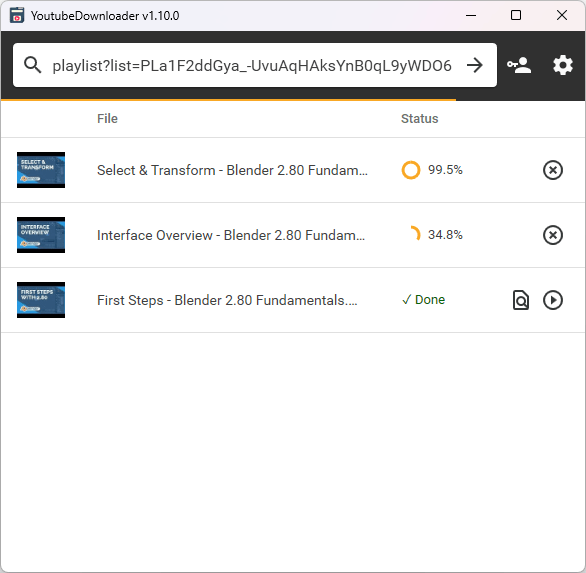
YoutubeDownloader UI from the VidBee vs YoutubeDownloader comparison gallery.
Who it is for
- Mostly YouTube workflows needing speed and low memory
- Users who do not need multi-site extractors or RSS/Docker
- Use VidBee/Stacher-class tools for 1,800+ site families via yt-dlp
At a glance
| Dimension | Details |
|---|---|
| License | Open source (see repo) |
| Platforms | Windows, Linux, macOS |
| Scope | YouTube-first |
| Compare | VidBee vs YoutubeDownloader |
Typical workflow
- Install from GitHub Releases
- Paste video or playlist URLs
- Pick container/quality/audio-only
- Benchmark large lists
- Keep a fallback for non-YouTube URLs
Core capabilities
YouTube throughput: Tuned metadata/stream selection for that site.
Open builds: No adware; auditable behavior.
Workflow boundary: RSS/Docker/vidbee:// are not core in public materials.
Limitations and compliance
- Not a general video downloader
- No DRM
- YouTube API changes require updates
Better fit / weaker fit
| Better fit for YoutubeDownloader | Consider alternatives if |
|---|---|
| YouTube-only speed | You need multi-site archives |
| Light C# app | You need RSS + Docker |
Testing checklist
- Time a 100+ item playlist
- Paste a non-YouTube URL and read the error
- Compare memory vs Electron clients
- Read specialty compare page
Further reading: VidBee vs YoutubeDownloader
11. ytDownloader: Electron yt-dlp GUI
ytDownloader is an Electron + React yt-dlp client with a modern cross-platform UI — closer to VidBee's stack but different product goals.
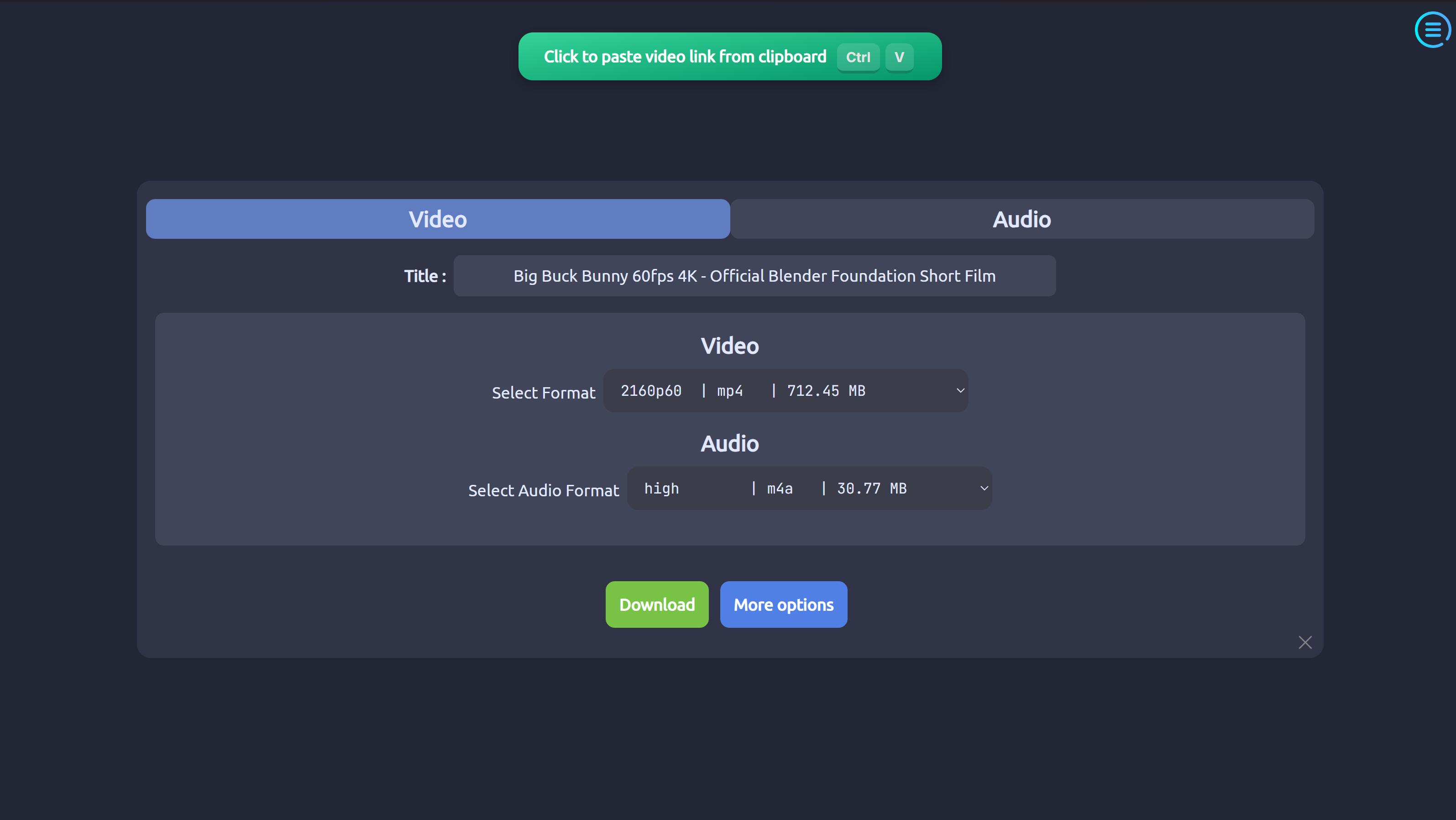
ytDownloader UI from the VidBee vs ytDownloader comparison gallery.
Who it is for
- Users wanting consistent Electron UI across OSes
- Moderate queue needs without NAS RSS automation
- Compare VidBee RSS docs and Docker if you need server workflows
At a glance
| Dimension | Details |
|---|---|
| License | Open source (see repo) |
| Platforms | Windows, macOS, Linux |
| Stack | Electron, yt-dlp, FFmpeg |
| Compare | VidBee vs ytDownloader |
Typical workflow
- Install and verify engine dependencies
- Paste single or batch URLs
- Tune concurrency and speed limits
- Upgrade yt-dlp on failures
Core capabilities
UI parity: Electron consistency across machines.
Desktop basics: Formats, audio extract, queues, rate limits.
Philosophy: ytDownloader focuses on the shell; VidBee adds RSS, Docker, and vidbee:// depth.
Limitations and compliance
- Larger bundles than GTK/C# tools
- yt-dlp maintenance required
- No DRM
Better fit / weaker fit
| Better fit for ytDownloader | Consider alternatives if |
|---|---|
| Shell is enough | You want multi-feed RSS unattended |
| Prefer this UI | You need Docker API stack |
Testing checklist
- Compare package size and idle RAM
- Stress-test playlist retries
- Time RSS setup vs VidBee if needed
- Read compare report
Further reading: VidBee vs ytDownloader
Why desktop video downloaders beat most web tools
Ready to build a local library? Download VidBee → — free and open source.
Searching "online video downloader" still leads to ad-heavy pages that log your links. Desktop apps such as VidBee, Downie, or Stacher differ in three practical ways:
Local privacy control: Web tools upload URLs to shared servers that may log IPs and habits. Desktop tools like VidBee keep queues, history, and RSS configs on your machine by default.
Queues and large archives: Pasting a 200-item playlist or whole channel is realistic with desktop queues, resume, retries, and naming rules — not with one-link web forms.
Rate limits and anti-bot: Shared hosting IPs often trigger failures. Desktop tools use your own network path and let you set user agents or proxies in advanced settings.
Docker option: VidBee ships a Docker API/Web stack (ghcr.io/nexmoe/vidbee-api) for NAS or home-server downloads with FFmpeg remux on the server side. See the Docker page.
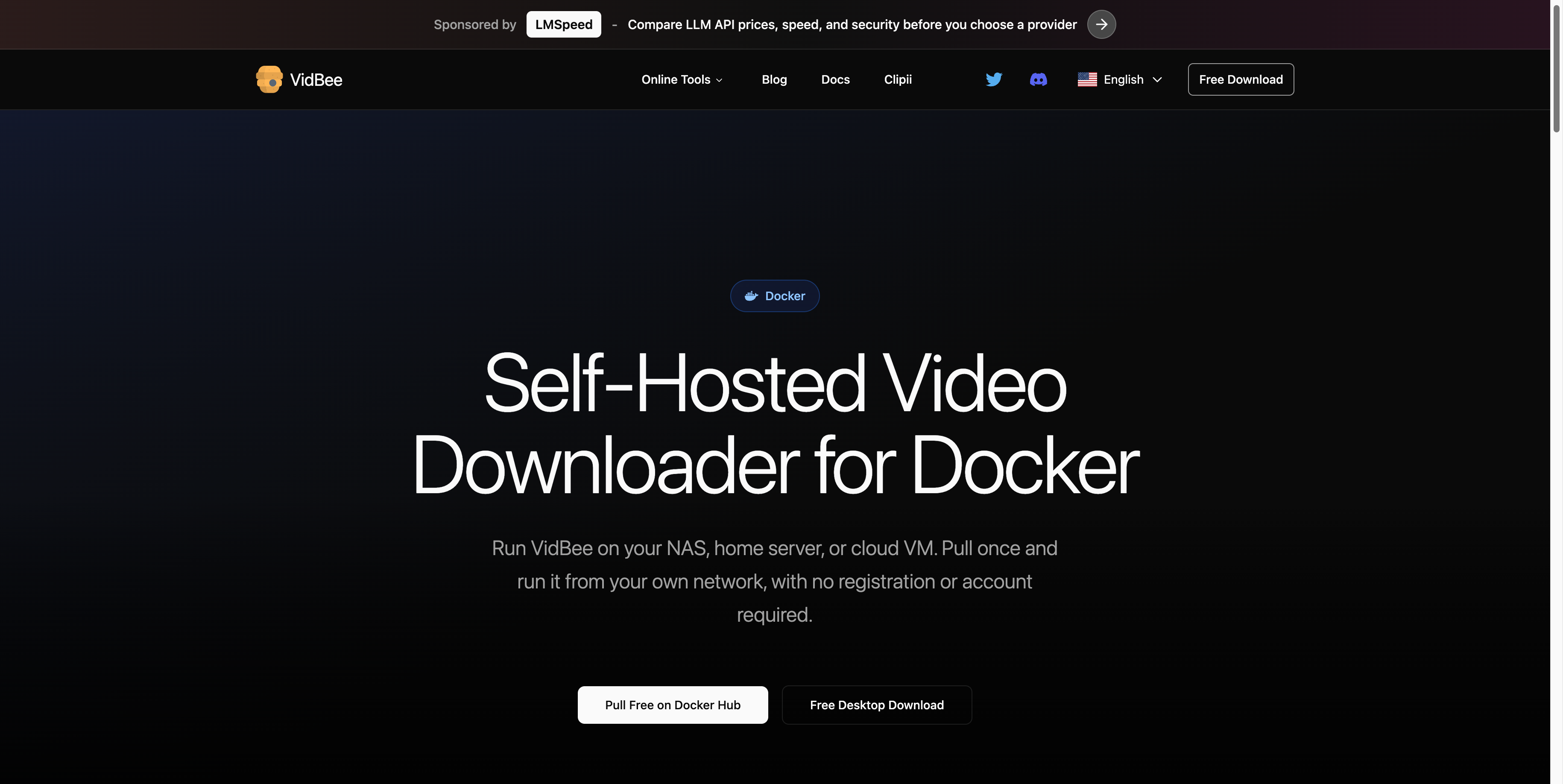
VidBee Docker page (captured June 2026) for NAS and home-server workflows.
Technical notes: cookies and remux
Most desktop video downloaders reach thousands of sites because they wrap yt-dlp. A good yt-dlp GUI should expose power without hiding essentials.
Cookies for permitted restricted content
For age-gated or sign-in content you may legally access, import browser cookies in tools like VidBee. Cookies are sensitive credentials — use only when you have rights to the material. See the cookies guide.
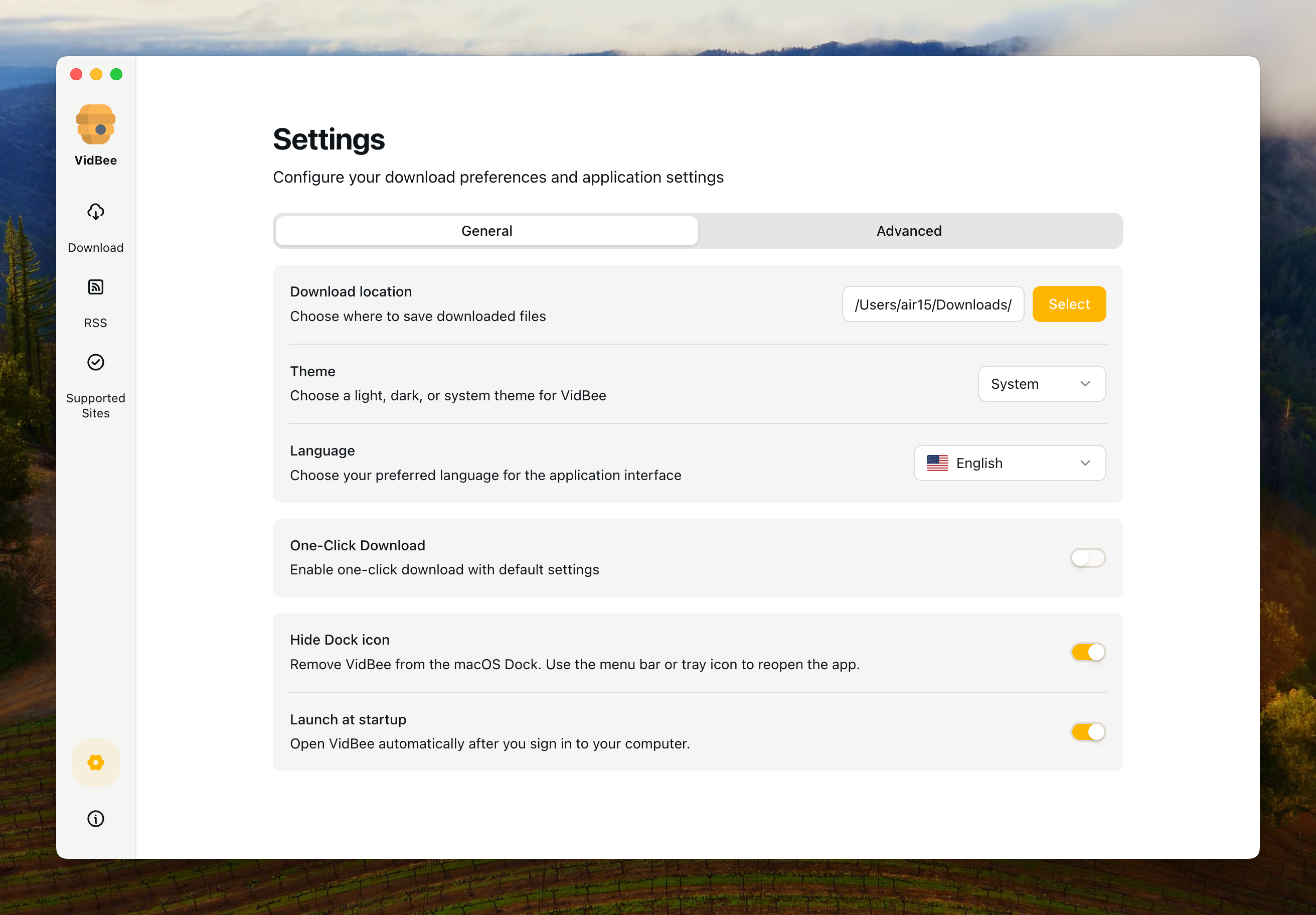
VidBee cookie import UI from the VidBee vs ytDownloader comparison gallery.
Remux vs re-encoding
Re-encoding costs CPU and can reduce quality. VidBee defaults to remux: FFmpeg moves streams into MP4/MKV containers without recompressing pixels when sources allow. See the formats guide.
Which video downloader should you pick?
- macOS-only and native UI: Downie remains a solid paid Mac app.
- Hands-on yt-dlp tuning: Stacher exposes flags in a GUI.
- One link, no install: cobalt.tools for quick web saves.
- Cross-platform open archives with queues, RSS, and optional Docker: VidBee is built for that workflow.
Get VidBee free → on macOS, Windows, or Linux and test your real URLs locally.
Use this with VidBee
FAQ
Why can't VidBee or Downie download some DRM-protected videos?
General video downloaders do not decrypt DRM-protected streams. DRM is used by subscription platforms to prevent unauthorized copying; these tools are built for publicly accessible or properly authorized media only.
What do I need to download 4K or 8K video?
If you only get 1080p, the source may not offer higher resolutions, or separate audio/video streams need FFmpeg to merge. VidBee bundles FFmpeg; with Stacher and similar tools, confirm FFmpeg is installed and current.
Why do RSS auto-download feeds sometimes fail?
Public RSS hosts such as rsshub.app may hit Cloudflare or rate limits. In VidBee, prefer a self-hosted RSSHub instance or a stable feed URL you control.