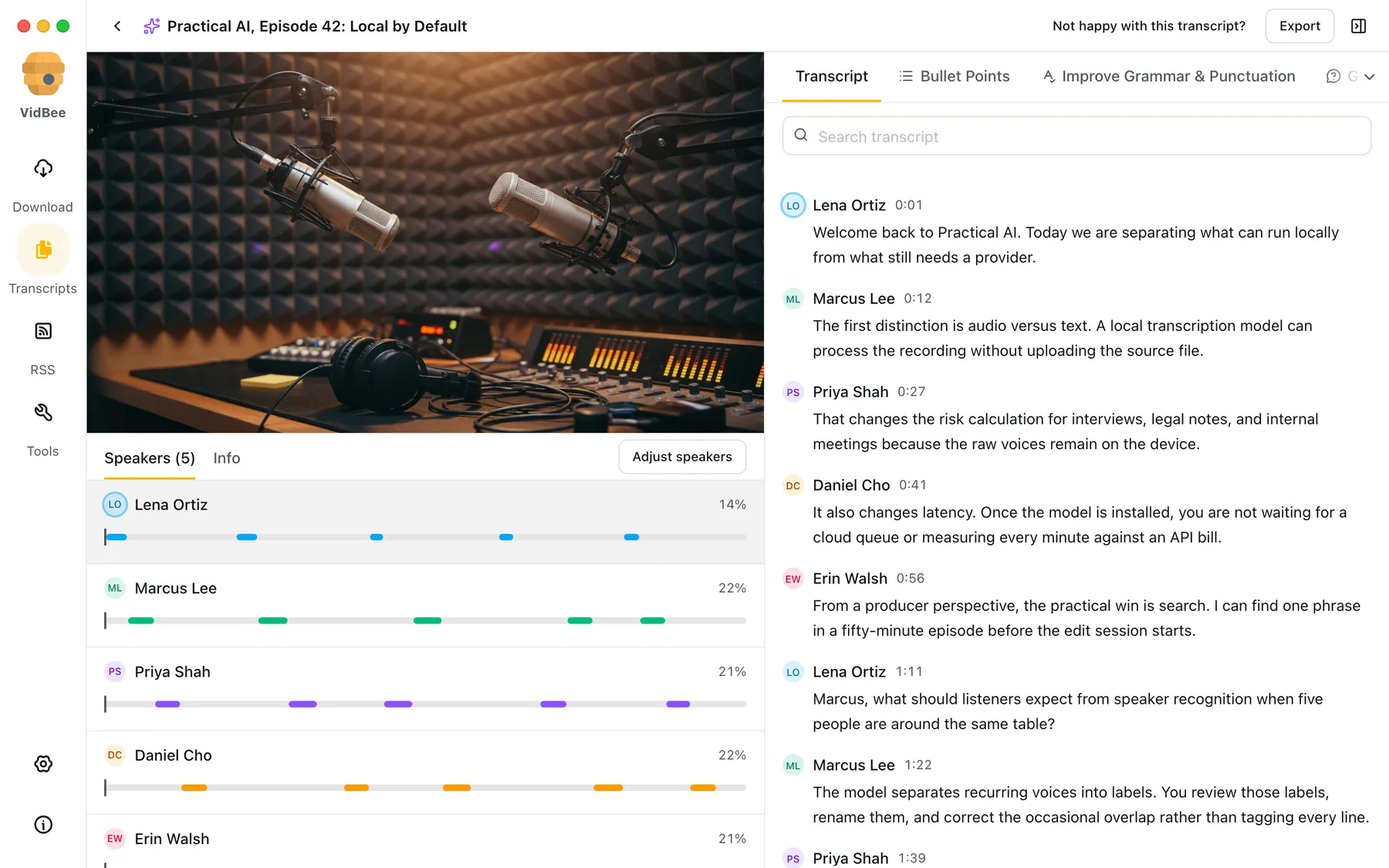
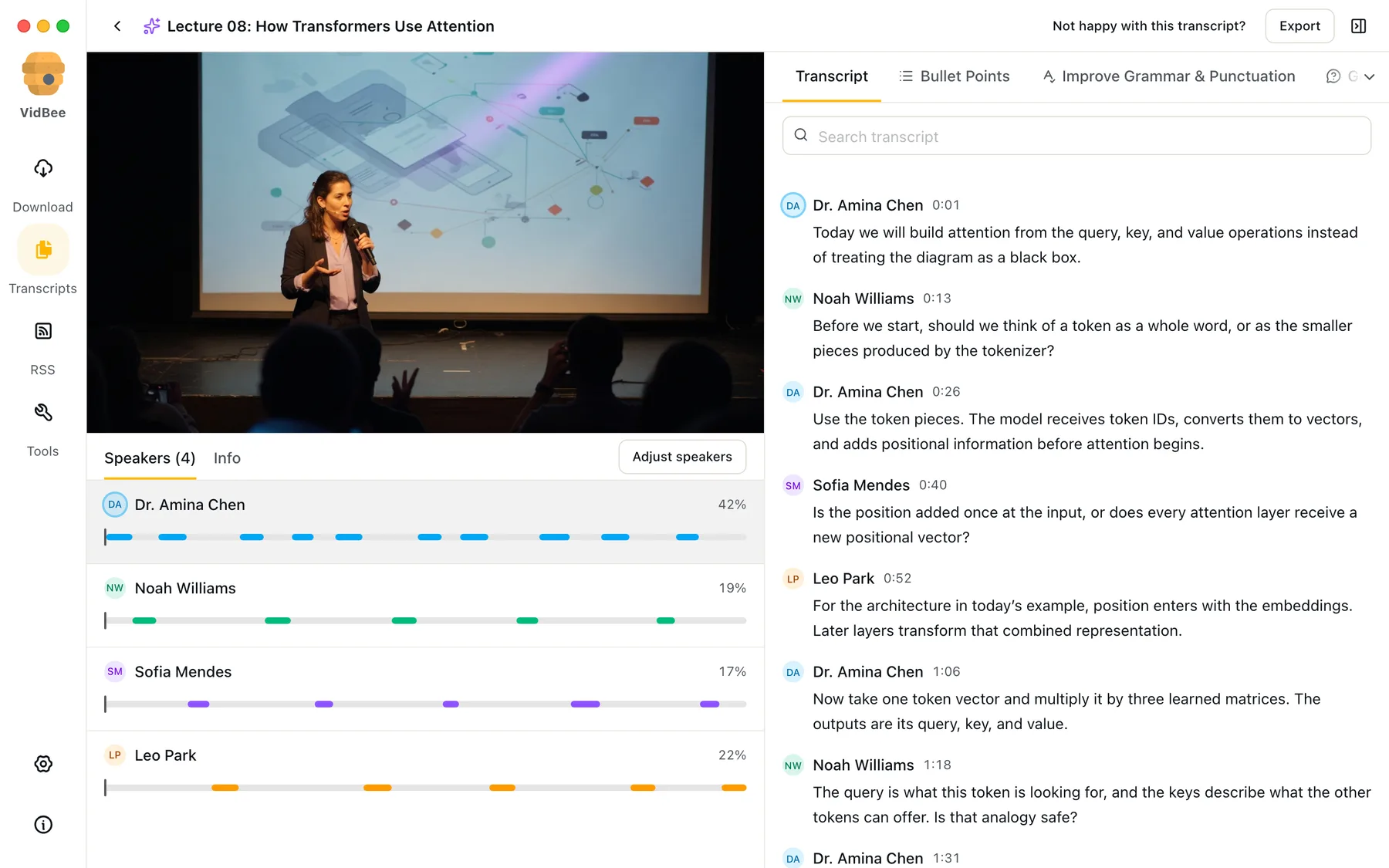
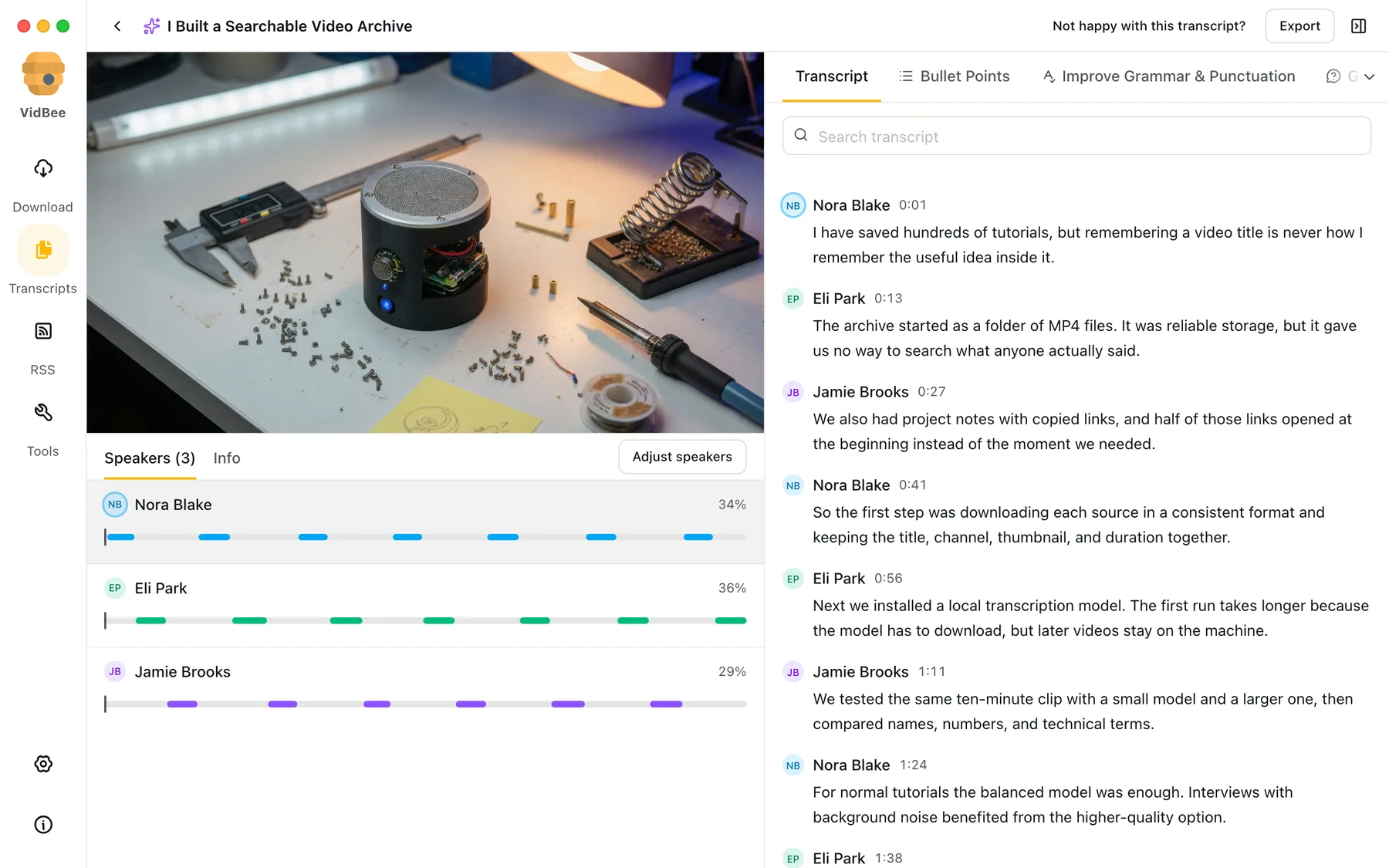



Speaker recognition
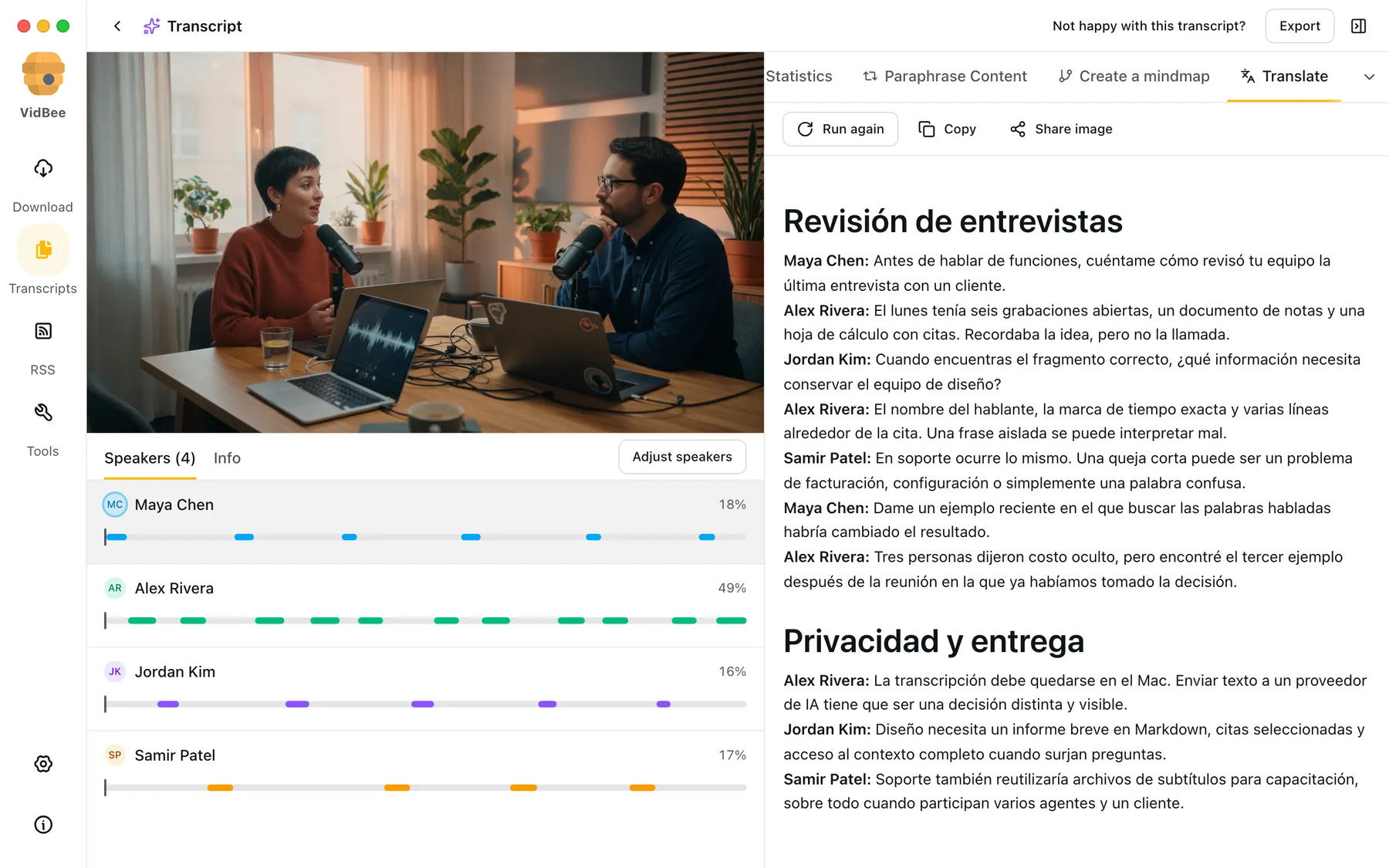
Separate voices, rename speakers, and jump straight to every moment they spoke.
Download from YouTube, TikTok, Twitter, Instagram, Facebook, Twitch, Bilibili, and 1000+ sites, or import local files. Turn speech into searchable transcripts on your computer, with speakers and timestamps. Then summarize, translate, or ask questions with the AI provider you choose.
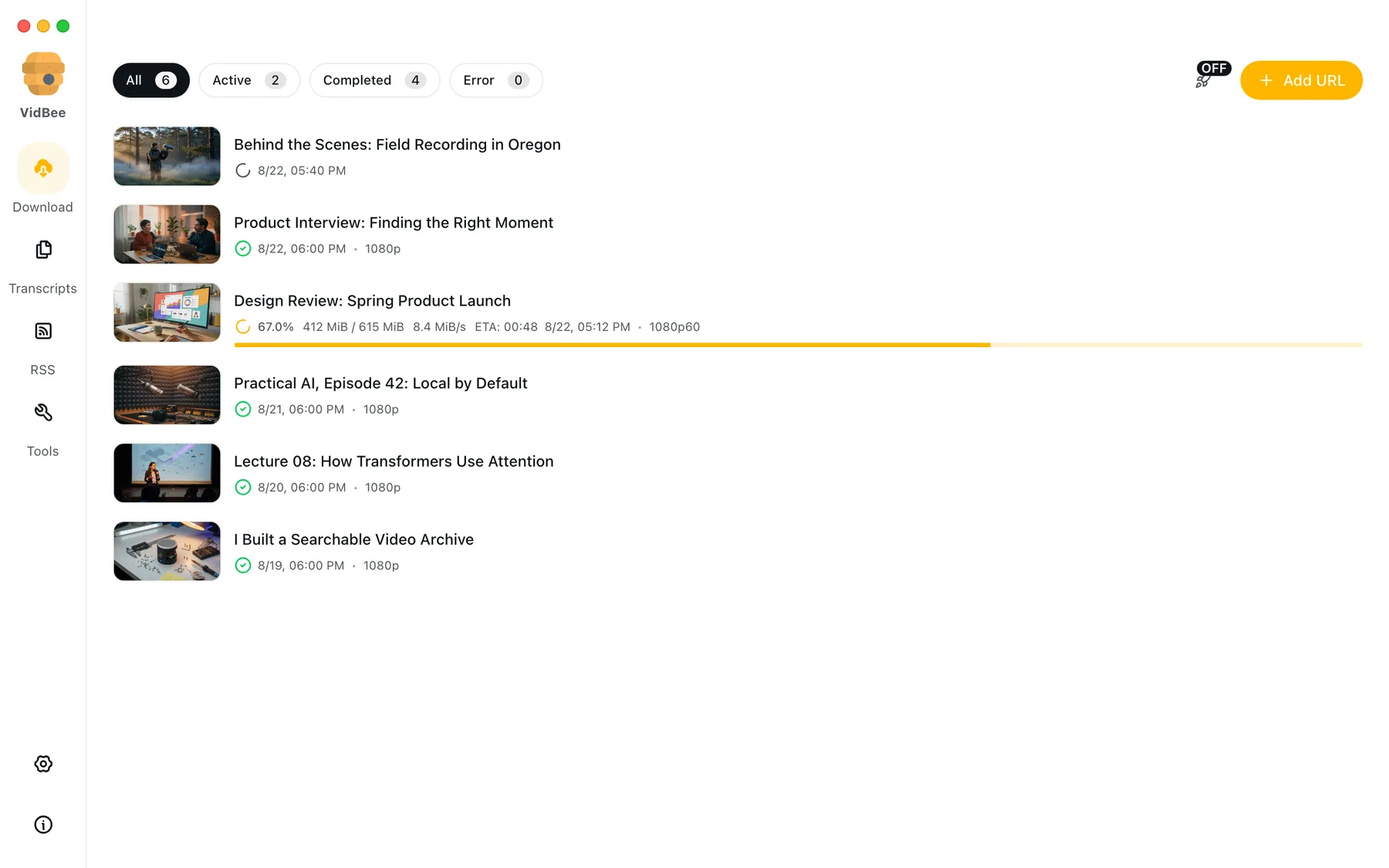
Transcribe interviews, podcasts, lectures, YouTube downloads, or files already on your computer. VidBee keeps the words, speakers, timestamps, and playback together.
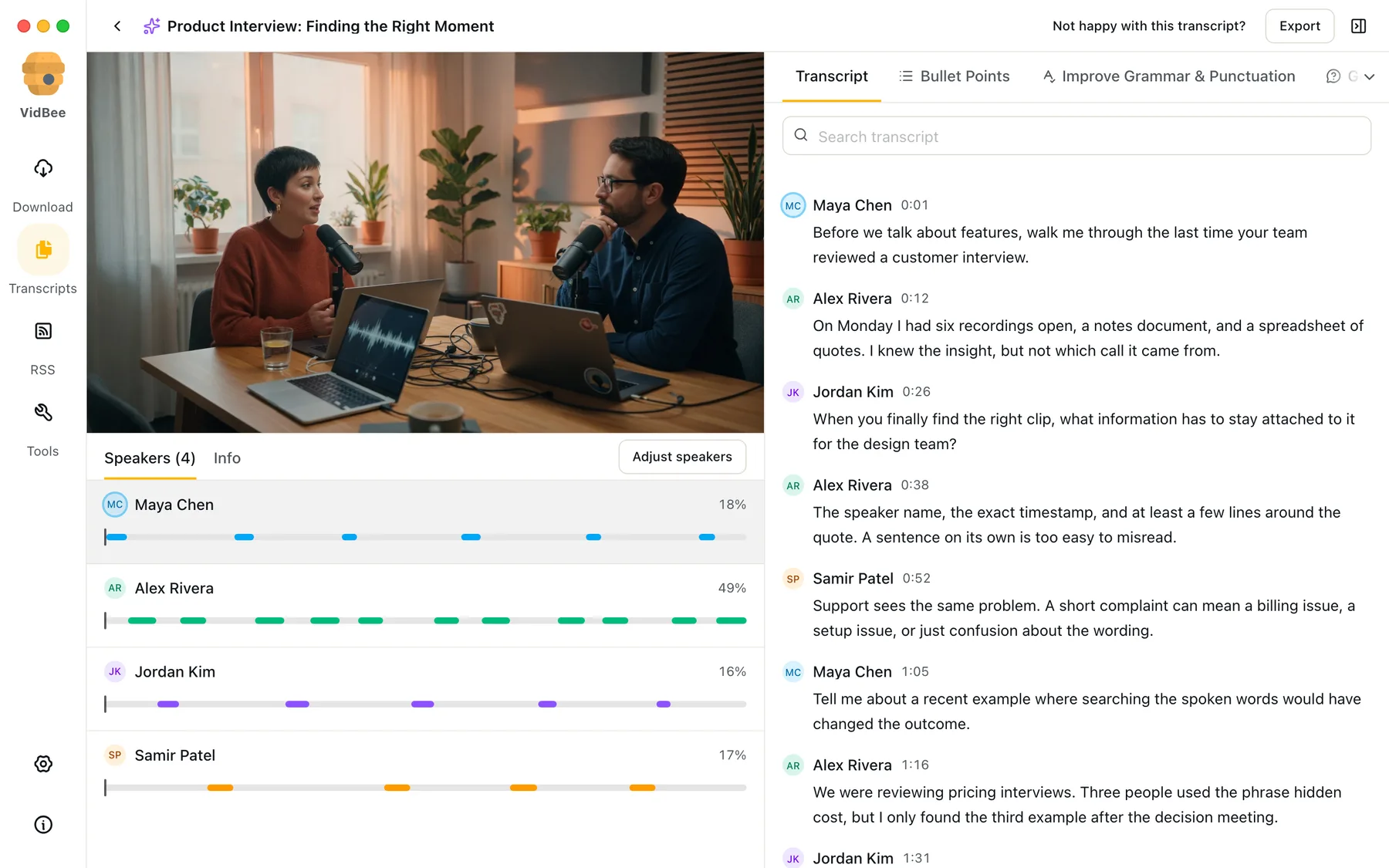
Separate voices, rename speakers, and jump straight to every moment they spoke.
Review timestamped text next to playback, and jump to any line as it plays.
Pick Whisper Small, Base, or Tiny for this Mac. Speech stays on the computer after the first download.
Transcribe multilingual audio with Whisper language detection and language hints.
Take the transcript with you as text, Markdown, subtitles, or captioned video.
Find a word or phrase, select the line, and continue from the exact timestamp.
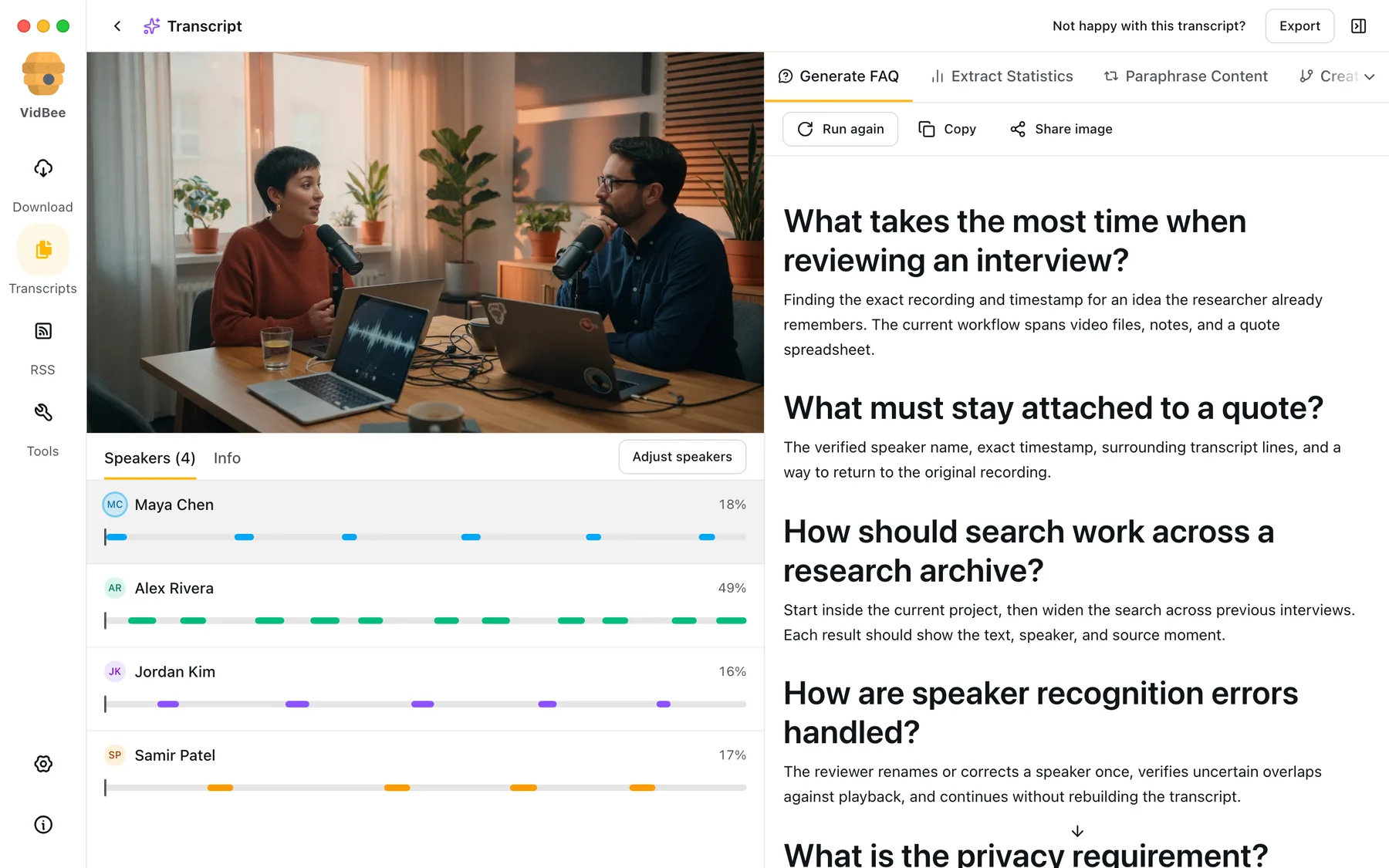
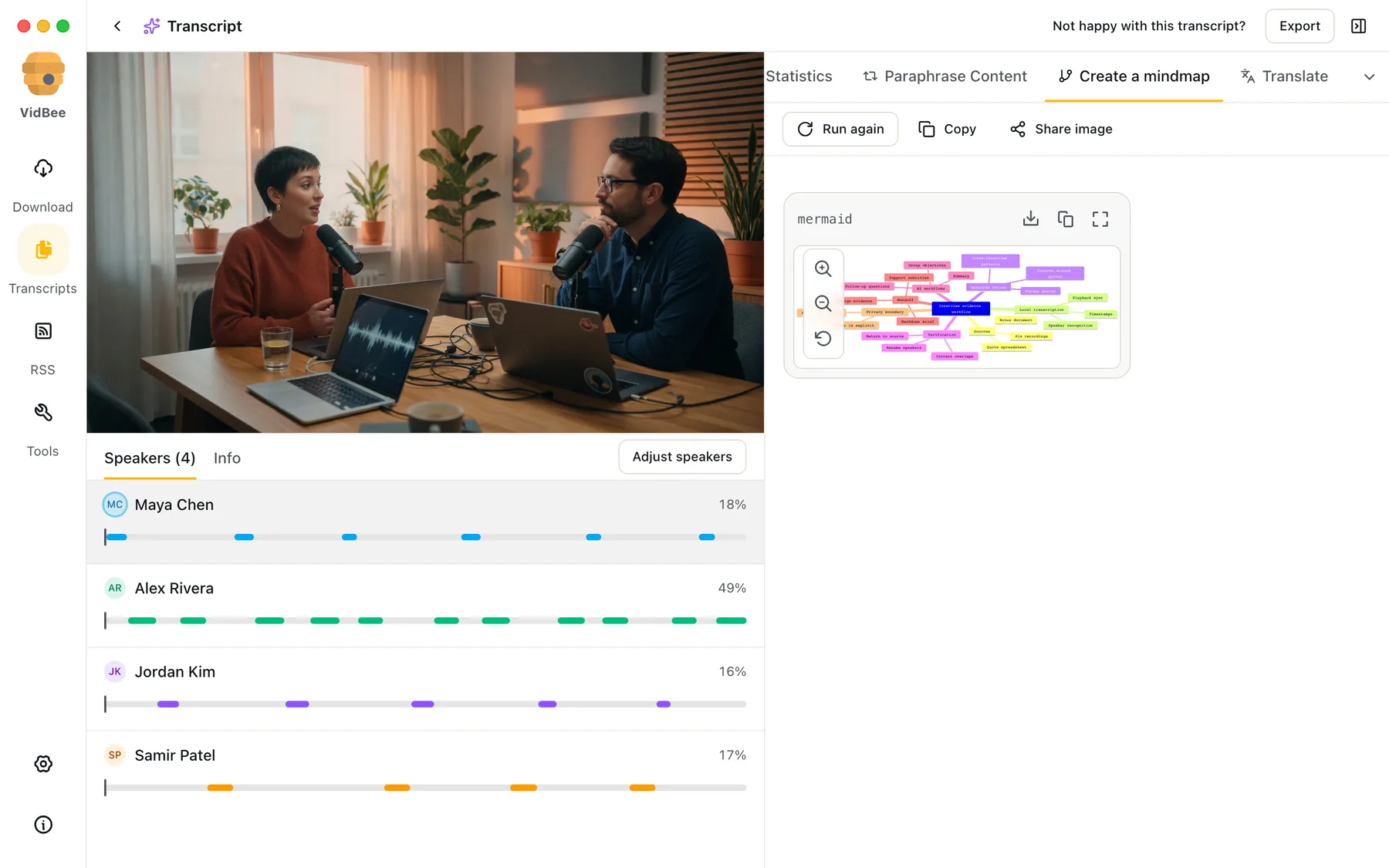
Summarize a long conversation, translate every line, build an FAQ, or map the main ideas. Start with a built-in workflow or write your own prompt.
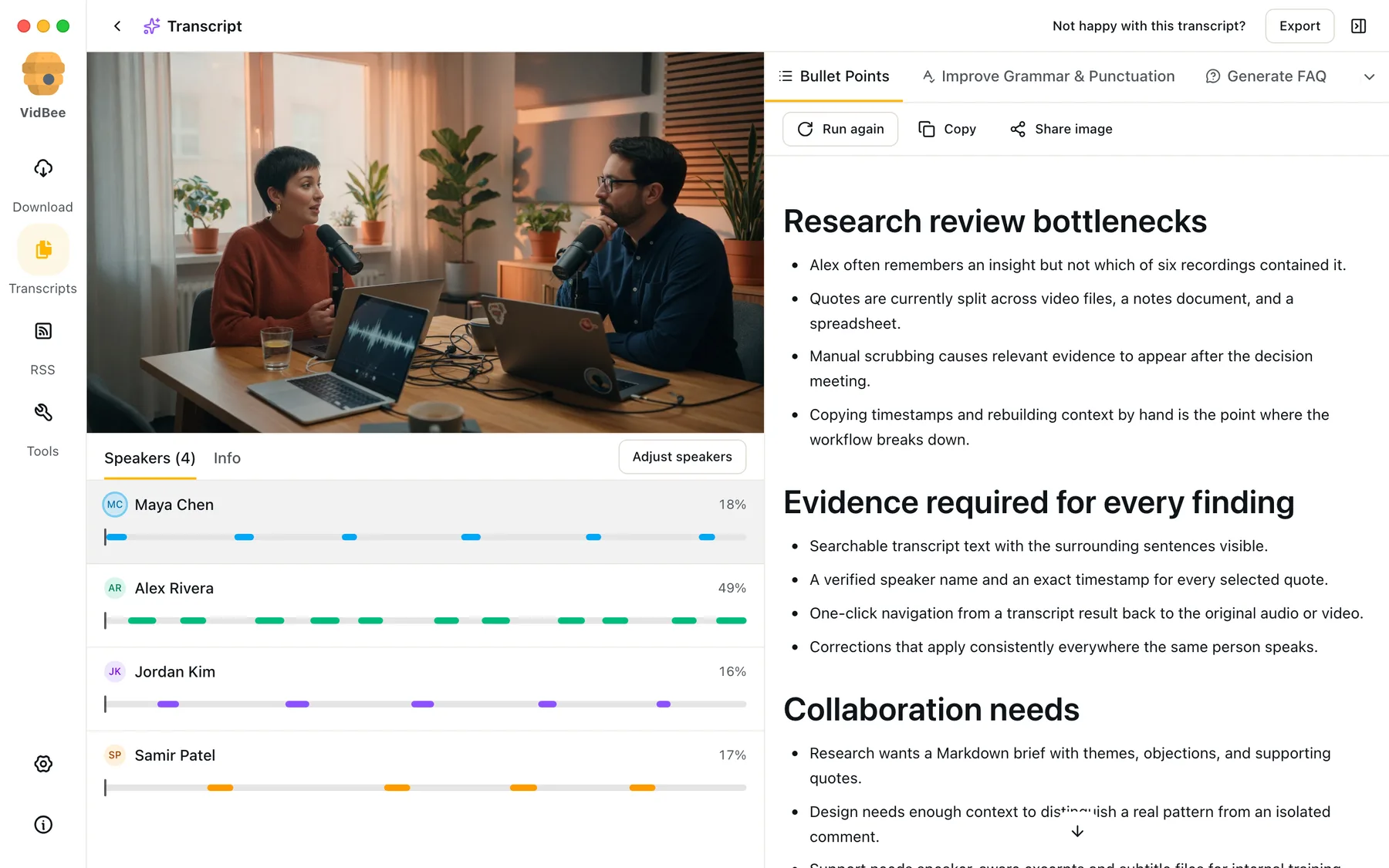
Write once, save it, and run the same workflow on any transcript.
Start with practical prompts for the tasks people repeat most.
Bring your own API key, connect Ollama or LM Studio, or add a custom OpenAI-compatible endpoint.
VidBee focuses on personal archiving, local transcription, and configurable AI workflows. It pairs a desktop queue with open-source tools like yt-dlp and FFmpeg, so you can keep downloads local, inspect the project on GitHub, and choose how each transcript is processed.
Save playlists, channels, and search results from YouTube in high quality. Download YouTube Watch Later, Liked videos, and private YouTube playlists.
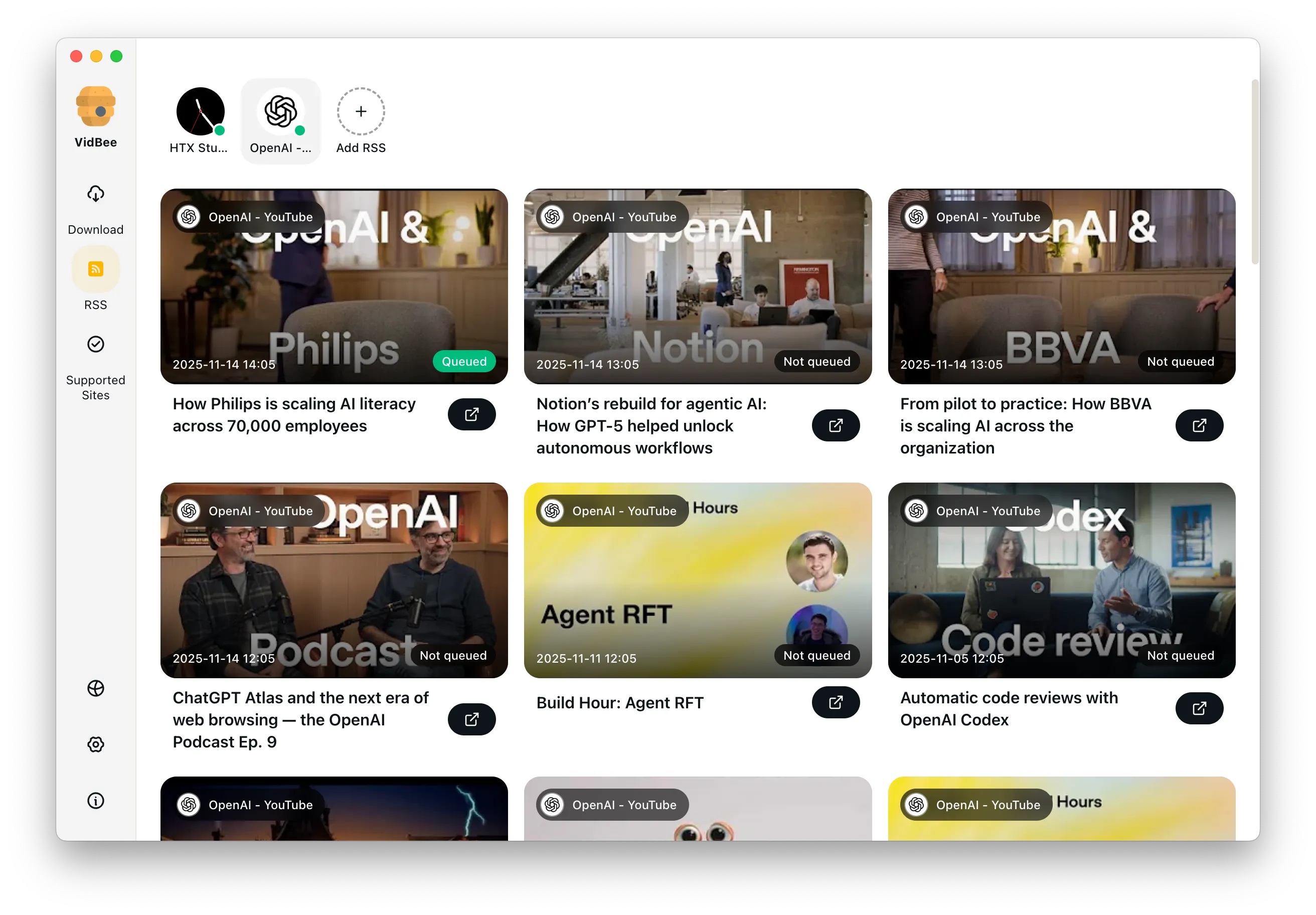
Download annotations and subtitles along with YouTube videos. Save them in SRT format and choose from 50+ languages.
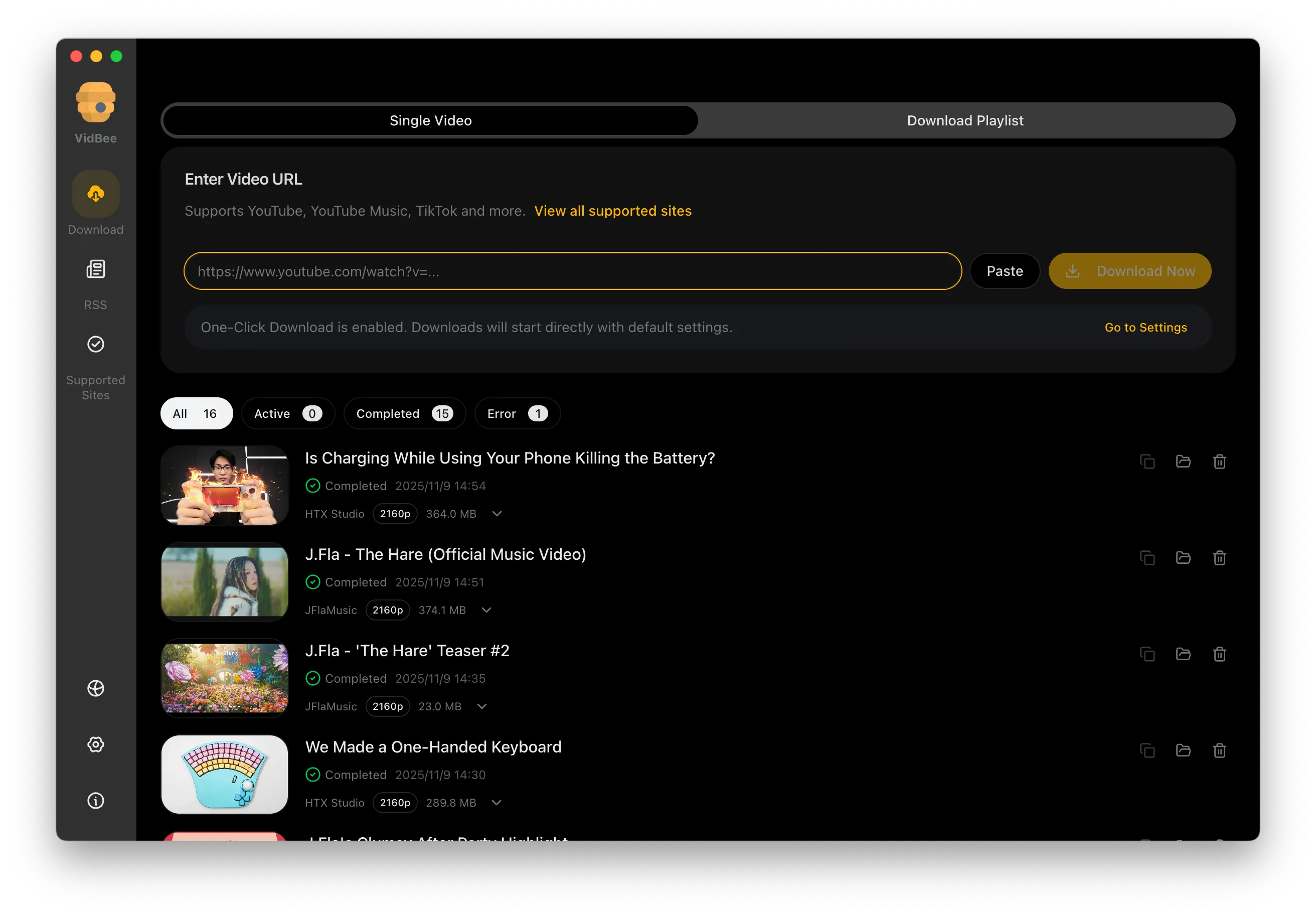
Download videos in HD 720p, 1080p, 4K, and 8K resolution. Enjoy high definition on any device.
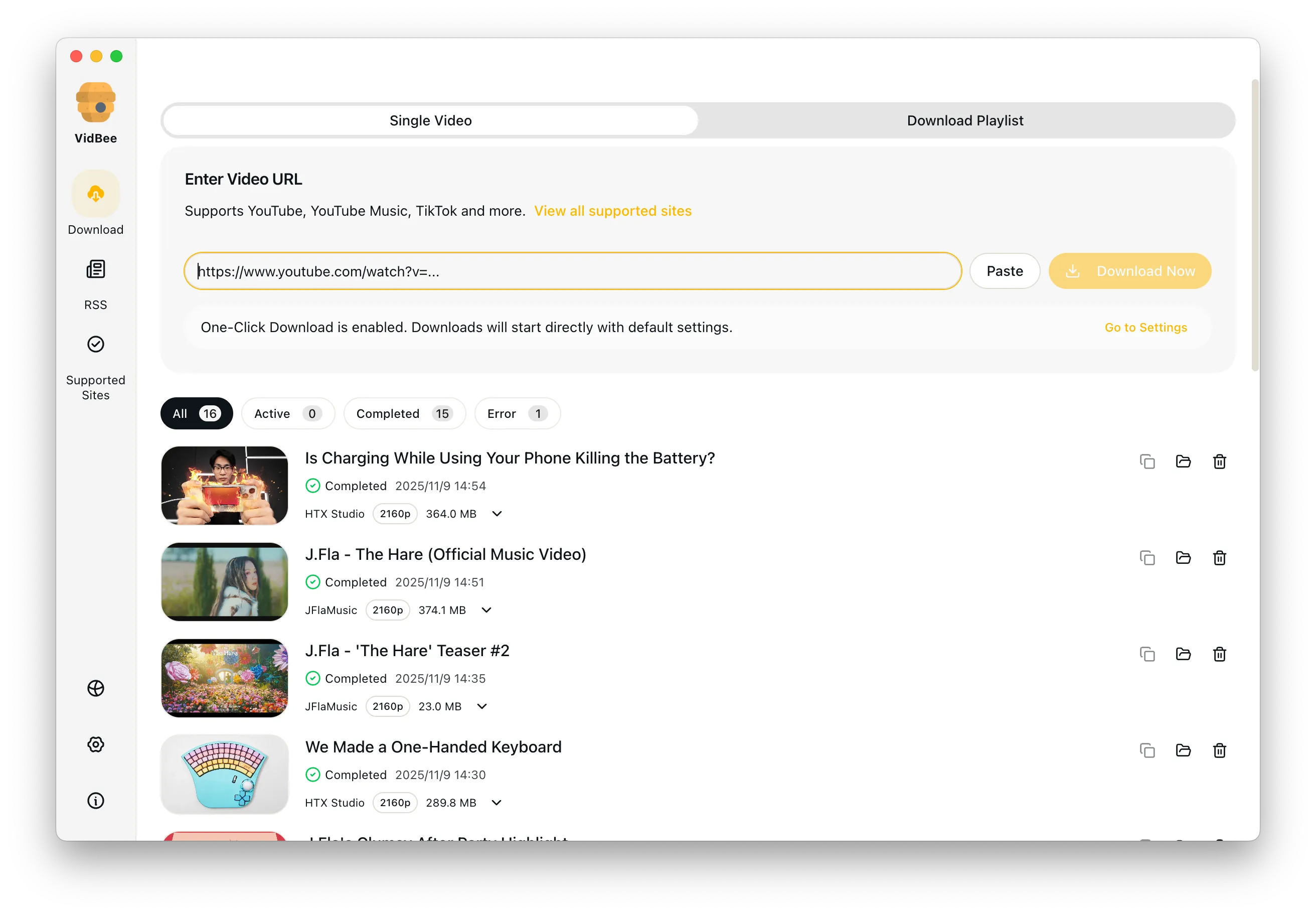
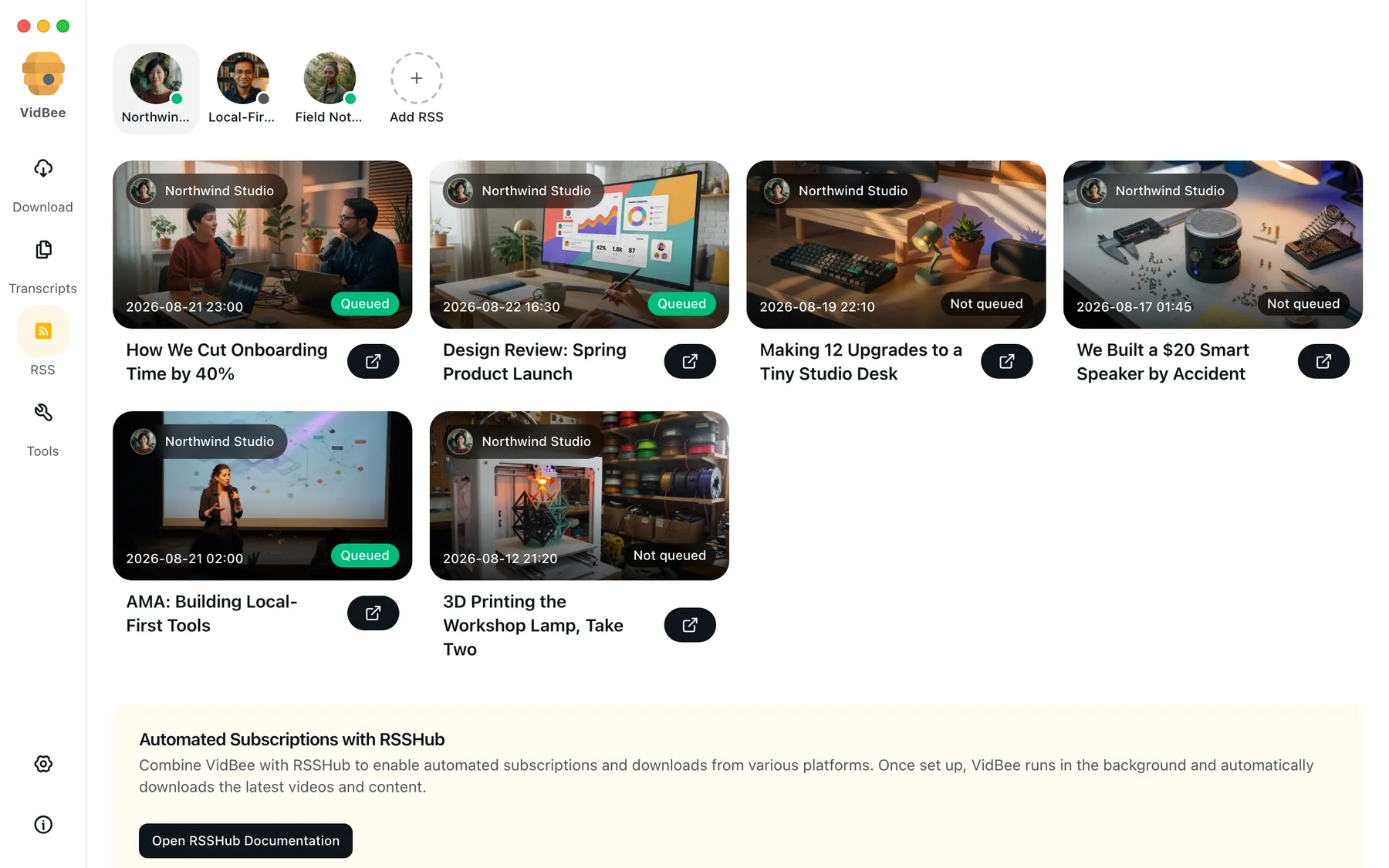
Save video from 1000+ sites, turn speech into searchable transcripts on your computer, then ask AI with the provider you choose.
Community feedback about VidBee in their own words—click a card to open the original tweet.
推荐个下载视频的软件:VidBee,应该是免费最好用的视频下载工具 1. 开源免费 2. 用的 yt-dl 内核,支持 YouTube IG 等 1000 多个视频网站 3. 支持高清、4k、8k 视频下载,支持播放列表 4. 界面非常现代化,优雅易用 5. 支持通过 RSS 订阅自动下载 6. 同时支持 Mac、Windows、Linux 全平台 官网:vidbee.org
Video downloader for 1000+ websites powered by yt-dlp github.com/nexmoe/VidBee/
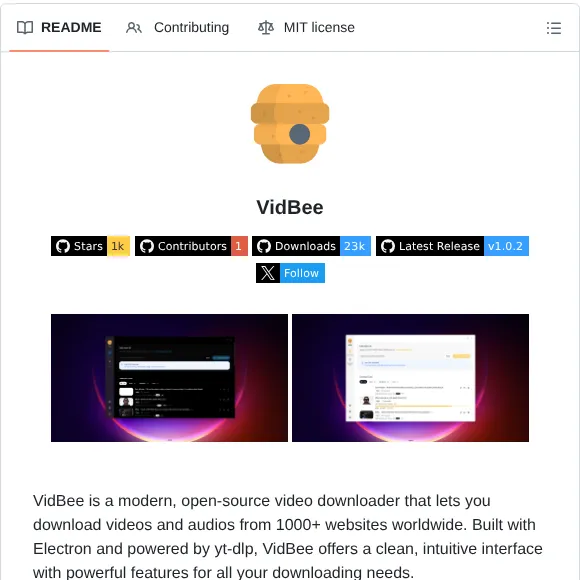
برنامج : VidBee يتيح لك التحميل من 1000+ موقع وبجودات مختلفة. تقدر تحمل الفيديو او الصوت فقط. تقدر تحمل جزء معين من المقطع فقط. تقدر تحمل بلاي ليست كامل. يدعم العربية ومفتوح المصدر. vidbee.org/download/
🛠️VidBee es un moderno descargador de vídeos de código abierto que te permite descargar vídeos y audios de más de 1000 sitios web Creado con Electron y basado en yt-dlp, ofrece una interfaz limpia e intuitiva con potentes funciones github.com/nexmoe/VidBee/
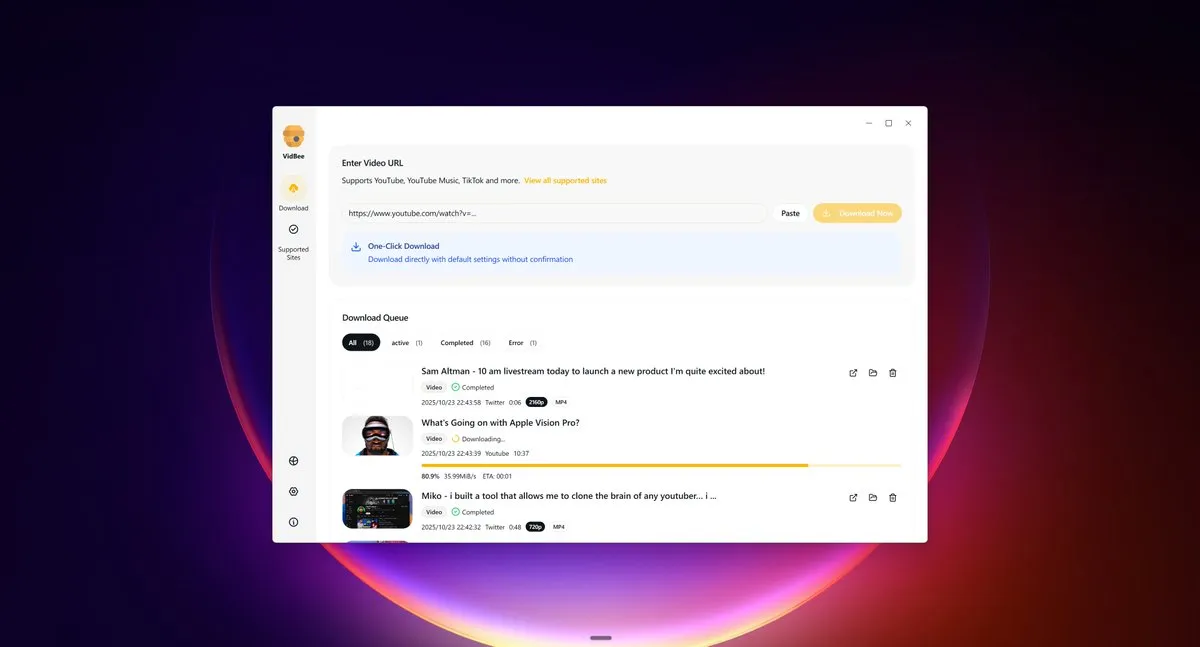
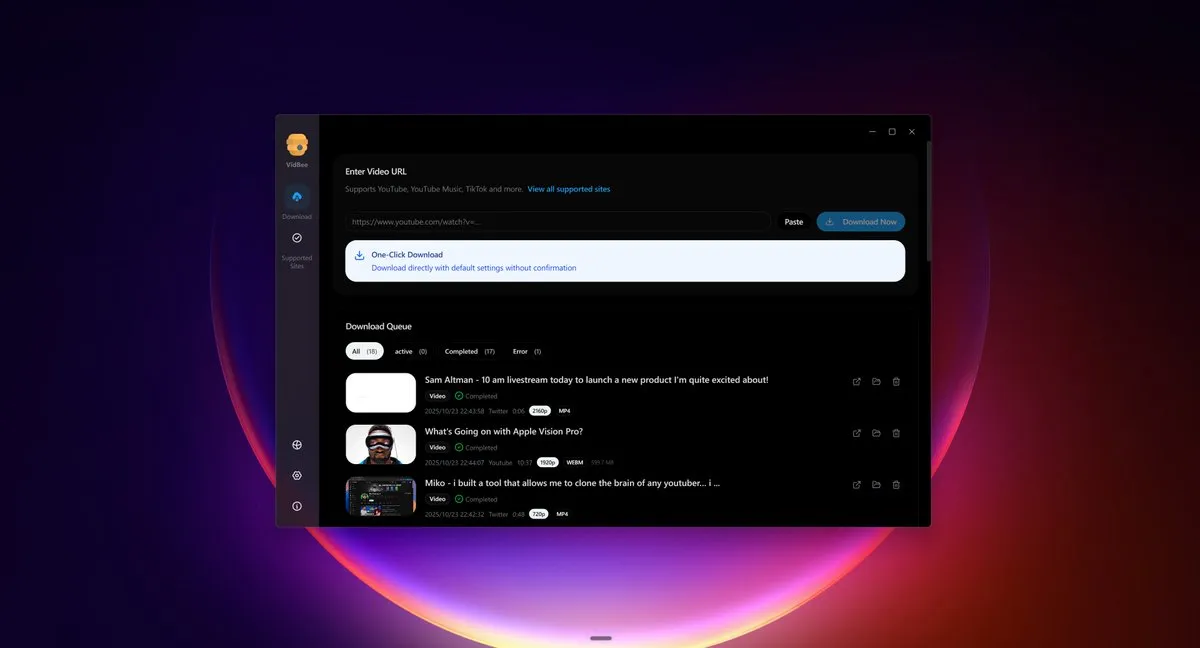
Download videos from almost any website worldwide
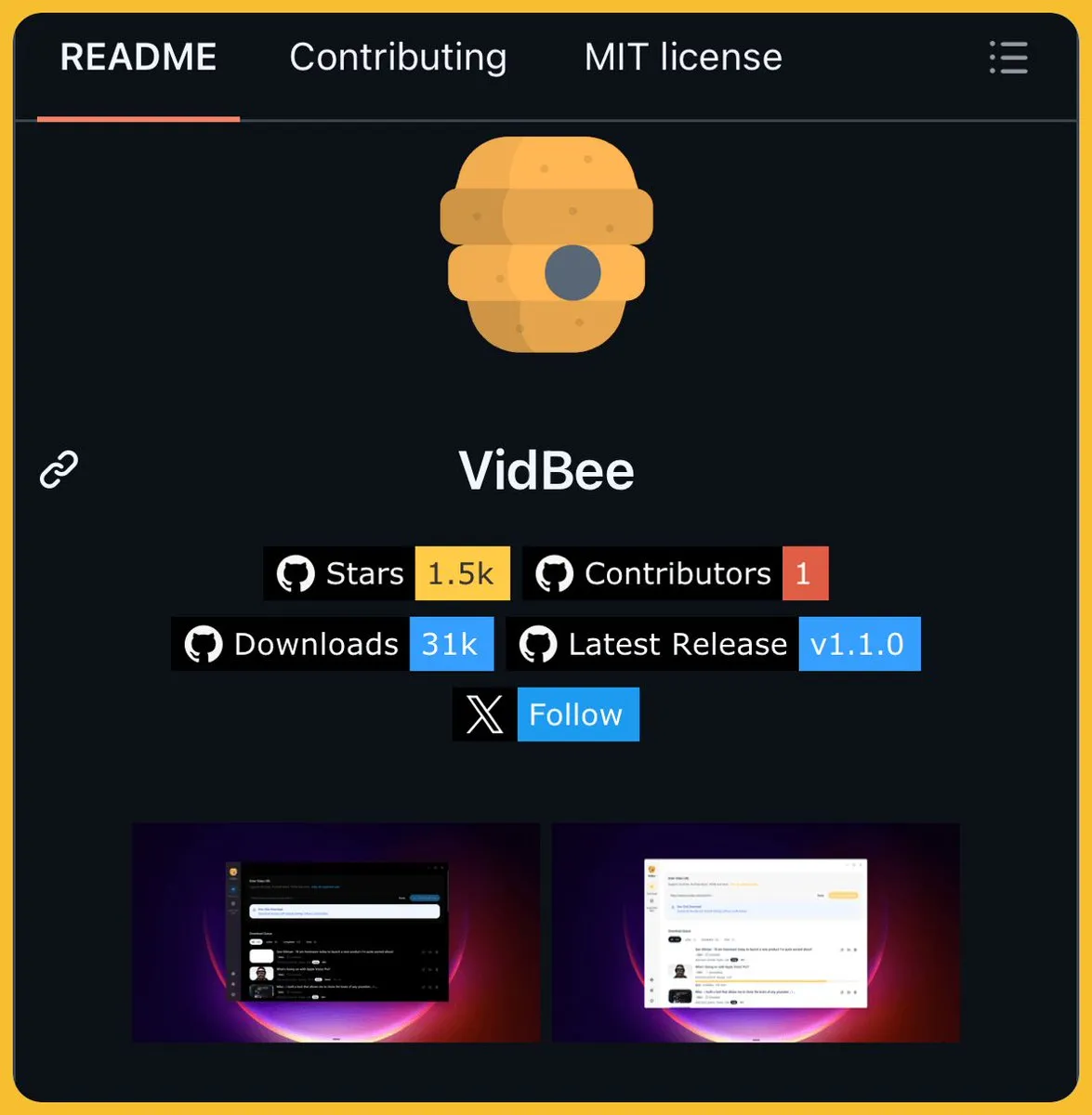
想下载 YouTube、TikTok、Instagram 上的视频,市面上各种在线工具要么有广告,要么限制格式,甚至还得付费。 于是,在 GitHub 上找到了 VidBee 这个开源视频下载工具,支持全球 1000+ 网站的视频和音频下载。 基于强大的 yt-dlp 引擎构建,提供简洁直观的桌面界面,一键暂停、恢复、重试,实时追踪下载进度。 GitHub:github.com/nexmoe/VidBee 最独特的是 RSS 自动下载功能,订阅你喜欢的创作者频道后,其新发布的视频会在后台自动下载,不用手动操作。 同时还可以配合提供的浏览器脚本,在视频网站上直接显示下载按钮,点击即可发送到桌面端下载。 提供 Windows、macOS、Linux 三平台安装包,开箱即用,项目完全开源且持续更新中。
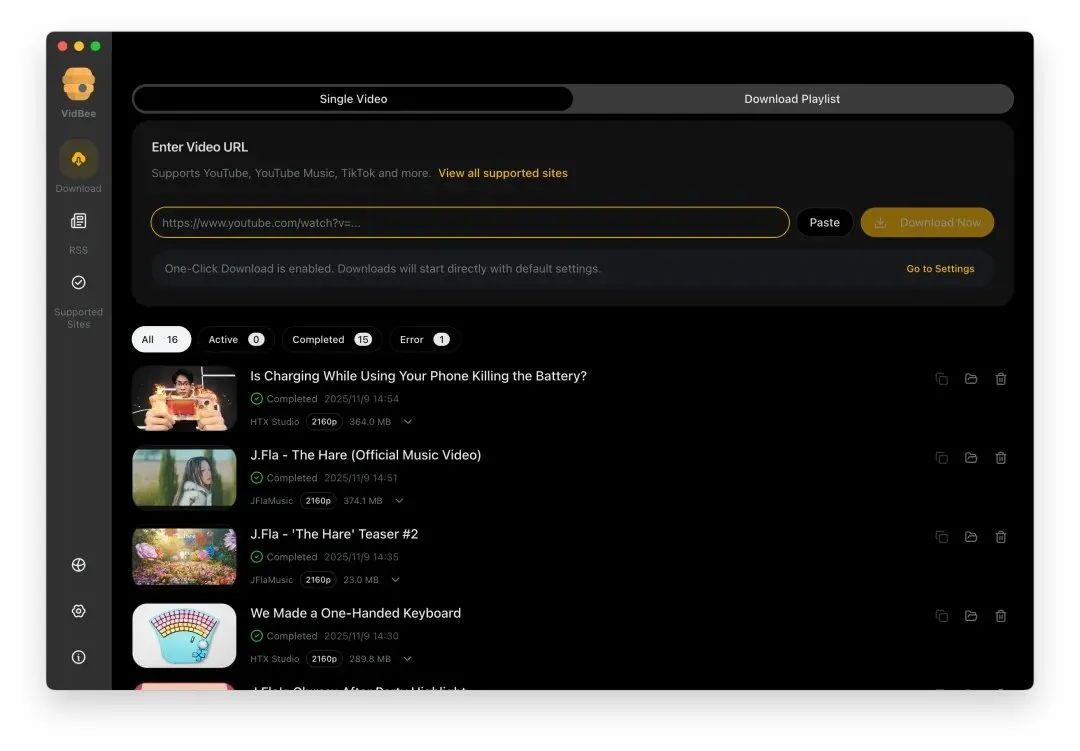
VidBee 🎥 🎧 برنامج لتنزيل الفيديوهات والتسجيلات الصوتية من أكثر من 1000 موقع حول العالم بكل سهولة . ⚡ سريع 🧩 واجهة أنيقة 🔓 Open Source 🔗 GitHub: github.com/nexmoe/VidBee
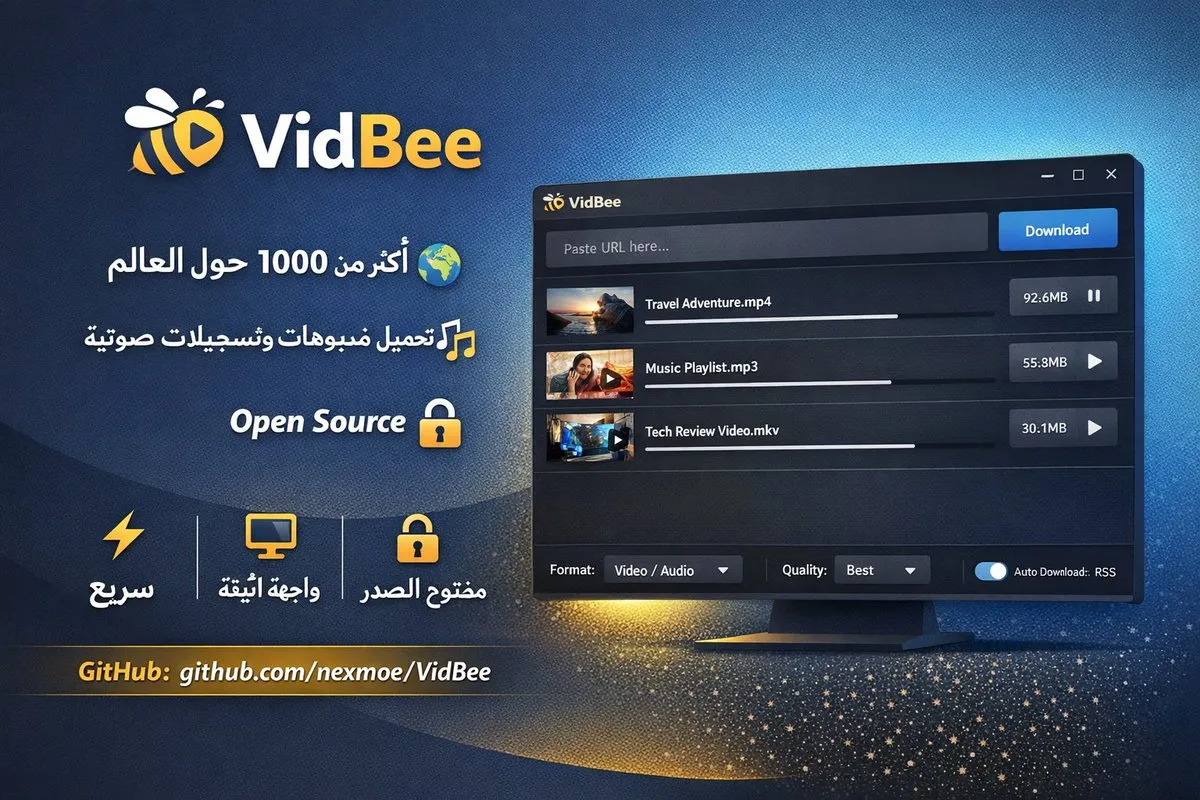
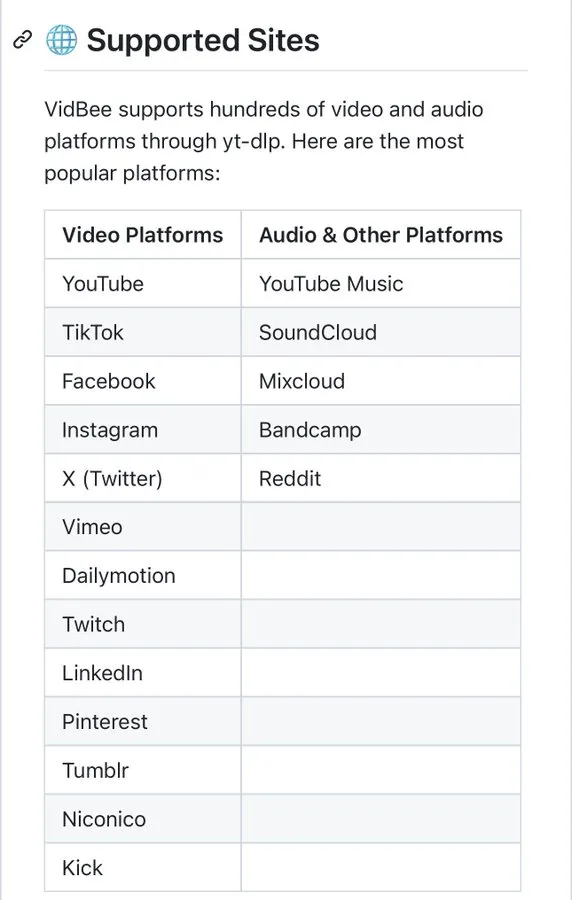
推荐 免费开源 VidBee 视频下载器 - 支持 1000 多平台,YouTube、TikTok、Twitter、Instagram、Facebook、Bilibili 等 - 支持各种主流平台Windows / macOS / Linux - 项目是 MIT 协议,完全开源 - 一行链接就能下载,支持多任务队列、暂停、重试 项目及下载链接见⬇️
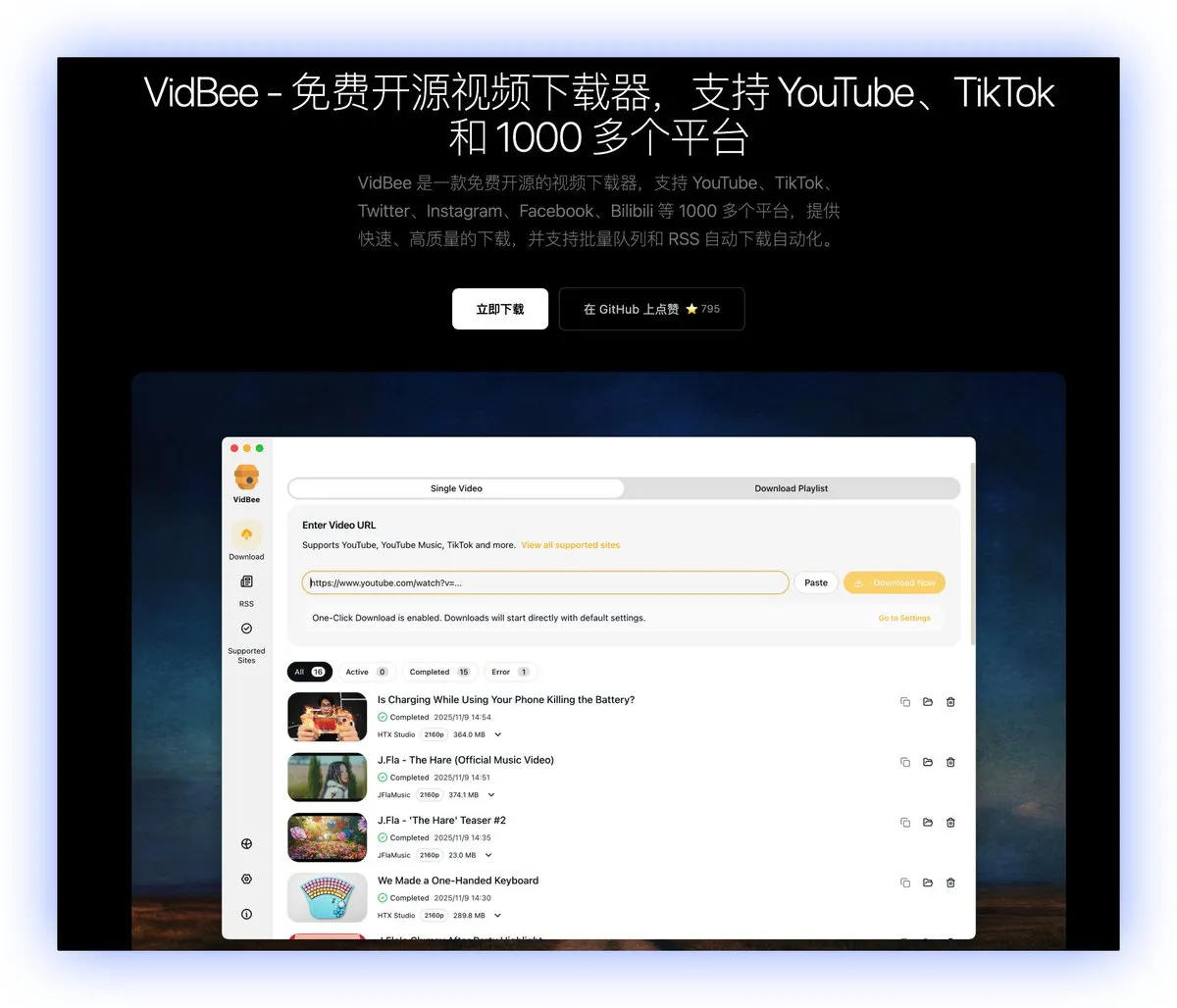
To deliver an out-of-the-box experience, we bundle yt-dlp, the Deno JS runtime, ffmpeg, and ffprobe so downloads succeed more often and formats, audio, and subtitles work immediately. Other software keeps installers small by downloading these after installation, but that slows down the first-run experience.
Free desktop app. Download videos, get searchable transcripts on your computer, then ask AI with the provider you choose. No registration or account required.
Completely free. No registration or account required.


'%20fill-rule='nonzero'%3e%3c/path%3e%3cdefs%3e%3clinearGradient%20id='lobe-icons-qwen-_R_0_'%20x1='0%25'%20x2='100%25'%20y1='0%25'%20y2='0%25'%3e%3cstop%20offset='0%25'%20stop-color='%236336E7'%20stop-opacity='.84'%3e%3c/stop%3e%3cstop%20offset='100%25'%20stop-color='%236F69F7'%20stop-opacity='.84'%3e%3c/stop%3e%3c/linearGradient%3e%3c/defs%3e%3c/svg%3e)

'%3e%3c/path%3e%3cpath%20d='M20.616%2010.835a14.147%2014.147%200%2001-4.45-3.001%2014.111%2014.111%200%2001-3.678-6.452.503.503%200%2000-.975%200%2014.134%2014.134%200%2001-3.679%206.452%2014.155%2014.155%200%2001-4.45%203.001c-.65.28-1.318.505-2.002.678a.502.502%200%20000%20.975c.684.172%201.35.397%202.002.677a14.147%2014.147%200%20014.45%203.001%2014.112%2014.112%200%20013.679%206.453.502.502%200%2000.975%200c.172-.685.397-1.351.677-2.003a14.145%2014.145%200%20013.001-4.45%2014.113%2014.113%200%20016.453-3.678.503.503%200%20000-.975%2013.245%2013.245%200%2001-2.003-.678z'%20fill='url(%23lobe-icons-gemini-1-_R_0_)'%3e%3c/path%3e%3cpath%20d='M20.616%2010.835a14.147%2014.147%200%2001-4.45-3.001%2014.111%2014.111%200%2001-3.678-6.452.503.503%200%2000-.975%200%2014.134%2014.134%200%2001-3.679%206.452%2014.155%2014.155%200%2001-4.45%203.001c-.65.28-1.318.505-2.002.678a.502.502%200%20000%20.975c.684.172%201.35.397%202.002.677a14.147%2014.147%200%20014.45%203.001%2014.112%2014.112%200%20013.679%206.453.502.502%200%2000.975%200c.172-.685.397-1.351.677-2.003a14.145%2014.145%200%20013.001-4.45%2014.113%2014.113%200%20016.453-3.678.503.503%200%20000-.975%2013.245%2013.245%200%2001-2.003-.678z'%20fill='url(%23lobe-icons-gemini-2-_R_0_)'%3e%3c/path%3e%3cdefs%3e%3clinearGradient%20gradientUnits='userSpaceOnUse'%20id='lobe-icons-gemini-0-_R_0_'%20x1='7'%20x2='11'%20y1='15.5'%20y2='12'%3e%3cstop%20stop-color='%2308B962'%3e%3c/stop%3e%3cstop%20offset='1'%20stop-color='%2308B962'%20stop-opacity='0'%3e%3c/stop%3e%3c/linearGradient%3e%3clinearGradient%20gradientUnits='userSpaceOnUse'%20id='lobe-icons-gemini-1-_R_0_'%20x1='8'%20x2='11.5'%20y1='5.5'%20y2='11'%3e%3cstop%20stop-color='%23F94543'%3e%3c/stop%3e%3cstop%20offset='1'%20stop-color='%23F94543'%20stop-opacity='0'%3e%3c/stop%3e%3c/linearGradient%3e%3clinearGradient%20gradientUnits='userSpaceOnUse'%20id='lobe-icons-gemini-2-_R_0_'%20x1='3.5'%20x2='17.5'%20y1='13.5'%20y2='12'%3e%3cstop%20stop-color='%23FABC12'%3e%3c/stop%3e%3cstop%20offset='.46'%20stop-color='%23FABC12'%20stop-opacity='0'%3e%3c/stop%3e%3c/linearGradient%3e%3c/defs%3e%3c/svg%3e)


'%3e%3c/path%3e%3cpath%20d='M18.397%2015.296H7.4a.51.51%200%2000-.347.882l7.066%206.595c.206.192.477.298.758.298h6.226l-2.706-7.775z'%20fill='%230078D4'%3e%3c/path%3e%3cpath%20d='M15.272.857H7.497L0%2023.071h7.775l1.596-4.73%205.068%204.73h6.665l-2.707-7.775h-7.998L15.272.857z'%20fill='url(%23lobe-icons-azure-1-_R_0_)'%3e%3c/path%3e%3cpath%20d='M17.193%201.613a1.11%201.11%200%2000-1.052-.756h-7.81.035c.477%200%20.9.304%201.052.756l6.748%2019.992a1.11%201.11%200%2001-1.052%201.466h-.12%207.895a1.11%201.11%200%20001.052-1.466L17.193%201.613z'%20fill='url(%23lobe-icons-azure-2-_R_0_)'%3e%3c/path%3e%3cdefs%3e%3clinearGradient%20gradientUnits='userSpaceOnUse'%20id='lobe-icons-azure-0-_R_0_'%20x1='8.247'%20x2='1.002'%20y1='1.626'%20y2='23.03'%3e%3cstop%20stop-color='%23114A8B'%3e%3c/stop%3e%3cstop%20offset='1'%20stop-color='%230669BC'%3e%3c/stop%3e%3c/linearGradient%3e%3clinearGradient%20gradientUnits='userSpaceOnUse'%20id='lobe-icons-azure-1-_R_0_'%20x1='14.042'%20x2='12.324'%20y1='15.302'%20y2='15.888'%3e%3cstop%20stop-opacity='.3'%3e%3c/stop%3e%3cstop%20offset='.071'%20stop-opacity='.2'%3e%3c/stop%3e%3cstop%20offset='.321'%20stop-opacity='.1'%3e%3c/stop%3e%3cstop%20offset='.623'%20stop-opacity='.05'%3e%3c/stop%3e%3cstop%20offset='1'%20stop-opacity='0'%3e%3c/stop%3e%3c/linearGradient%3e%3clinearGradient%20gradientUnits='userSpaceOnUse'%20id='lobe-icons-azure-2-_R_0_'%20x1='12.841'%20x2='20.793'%20y1='1.626'%20y2='22.814'%3e%3cstop%20stop-color='%233CCBF4'%3e%3c/stop%3e%3cstop%20offset='1'%20stop-color='%232892DF'%3e%3c/stop%3e%3c/linearGradient%3e%3c/defs%3e%3c/svg%3e)

